Indoor Golf Google Ads for UK Bookings
England recorded 10,213,894 scores submitted through the World Handicap System in 2024, up 811,712 scores, or 8.63%, compared with 2023, according to Golf News reporting on England Golf's record year. Nine-hole and general-play scores grew fastest, which points to demand for flexible, time-efficient golf, not only full competitive rounds. That's the search pool an indoor venue is buying into. The question isn't whether people search. It's which searches deserve budget, what page each click should land on, and what counts as revenue when they do.
Why Indoor Golf Search Is Worth Buying
Say you're running four bays next to a clubhouse in November. It's dark by five, the course is wet, and your Tuesday and Wednesday evenings are half empty. A golfer nearby searches for indoor golf practice. A group of friends searches for something to do on Friday. A company organiser searches for a corporate activity that isn't weather dependent. Those are three different products, three different price points, and three different next steps. One generic ad to your homepage serves none of them well.
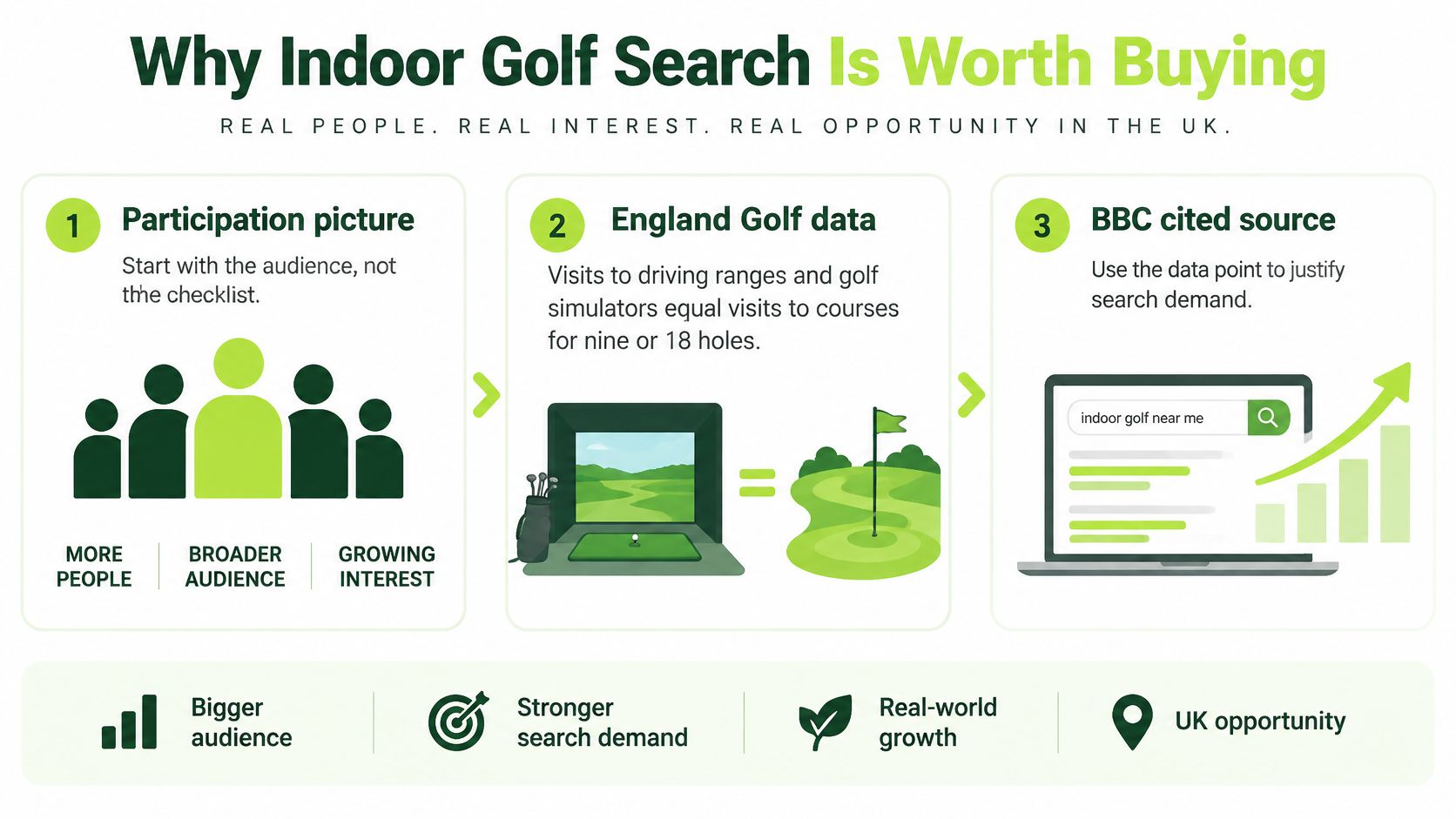
The audience for that search is larger than traditional course golf alone. England Golf data cited by the BBC found that visits to driving ranges and golf simulators were equal to visits to courses for nine or 18 holes. The same reporting put full rounds in Great Britain during 2025 at approximately 90 million, and said 82% of traditional on-course golfers in Britain and Ireland had tried an alternative format, including simulators, pitch-and-putt and adventure golf.
That means your buyers aren't only members looking for winter practice. They're also:
- Golfers who want data: launch-monitor numbers, gapping, swing work with a coach.
- Social groups: friends booking an hour around food and drinks.
- Corporate organisers: teams who need a fixed start time and catering.
- Newer players: people who'll try a bay before they try a course.
Indoor golf Google Ads works when you treat search as named intent. Someone typing a local service into Google has already told you what they want. Your job is commercial structure, not awareness for its own sake. Send each search type to a relevant action, booking a bay, arranging a lesson, buying a voucher or enquiring about private hire, rather than directing every visitor to a general homepage.
Buy the search that matches an empty hour you can actually sell. Everything else is decoration.
Map Each Search to a Paid Offer
Most indoor golf advertising assumes the visitor wants a full virtual round. UK reporting suggests the majority of simulator users use venues for swing analysis, lessons, or social play around famous holes rather than full simulated rounds, according to Yahoo Sports coverage of indoor golf growth. Check that pattern against your own booking mix before you build anything. If most of your weekday revenue is coaching and practice, an account built around "play Pebble Beach indoors" will misprice your best demand.
Build the account as an intent map first. Each row needs its own offer, page and primary conversion.
Indoor golf search intents and what each click should do
| Intent | Example searches | Offer and page | Primary conversion |
|---|---|---|---|
| Lessons and swing analysis | golf simulator lessons, indoor golf lesson near me | Coaching package on a lesson page | Paid lesson or lesson enquiry |
| Practice and winter training | indoor golf practice, winter golf training | Pay-and-play or block booking on a bay page | Completed bay booking |
| Social play | play golf indoors, indoor golf with friends | Hourly social hire on an experience page | Group booking |
| Corporate and private hire | corporate golf simulator hire | Private-hire package on an enquiry page | Qualified corporate enquiry |
| Winter membership | winter golf membership indoor | Winter membership or club-with-bays offer | Tour booked or sign-up |
| Beginners and gifts | indoor golf for beginners, golf simulator voucher | Intro session or voucher on a purchase page | Voucher or intro purchase |
Walk the rows as booking decisions
A lesson searcher wants a coach, a time and a price for improvement. Don't land them on hourly bay rates and hope they work it out. Show the PGA professional, what the launch monitor measures, session length and a clear lesson enquiry or paid booking button.
A practice searcher wants availability tonight. That page needs live bay availability, price per hour, what's included and a booking flow that finishes in a couple of minutes on a phone. If they have to call to check a slot, you'll lose a share of them to the venue that shows the diary.
Social play is a different sale again. The organiser is comparing you with bowling, darts and other group activities, not with another golf lesson. Lead with group size, food and drink options, photographs of the space in use and a per-person or per-bay group price. The conversion is a group booking, not a single bay hour.
Give each row a different value
Corporate hire shouldn't be forced into a public 60-minute slot picker. That buyer needs capacity, exclusivity, catering and a person to speak to. Send them to an enquiry page and count a qualified corporate enquiry as the conversion. Use your own prices to set values, for example a pay-and-play hour in the £25 to £40 range as an illustration, a higher-priced lesson, a four-person social booking, and a corporate half-day worth several hundred pounds. Enter those values in the account so bidding can prefer a real corporate enquiry over a cheap single bay.
Winter membership and beginners need the same discipline. A winter member is recurring revenue, so a tour booked or sign-up is worth more than one bay hour. A voucher buyer may never play themselves, so judge that row on purchase value and redemption, not on who clicked.
Practical rule: If two searches land on the same page and share the same conversion, you haven't segmented them. You've just grouped keywords.
The trap is stopping at the first booking. A simulator visitor may become a coaching client, a society organiser, a junior programme parent or eventually a course member. That only shows up if you track lesson attendance, repeat visits, course trials and membership enquiries after the first visit. Without that, the account will favour the cheapest booking and undervalue the pathway that pays.
Queries to Buy and Queries to Block
Treat keyword choice as a capacity decision. Buy phrases that name a bookable product near the venue: indoor golf near me, golf simulator hire, golf simulator lessons, corporate simulator hire and winter golf practice. If the phrase doesn't describe something you sell within your drive time, don't buy it.
Start with phrase and exact match while the account is small. Broad match on "golf" will happily buy handicaps, rules, equipment and tour news. If you need a clear explanation of how the match types behave before you restructure, compare broad and phrase match keywords and then apply the tighter setting until your search terms report is clean.
Negatives to add on day one
- Free and DIY intent: free, DIY, build your own, home simulator for sale.
- Information intent: rules, scorecard, handicap calculator, PGA Tour, tee times at courses you don't operate.
- Wrong transaction: jobs, careers, franchise, outdoor-only club membership if you don't sell it.
- Wrong geography: town and city names outside your realistic drive time.
Separate brand searches for your own venue name from generic searches. Brand clicks usually convert well because the searcher already knows you. If you blend them with generic terms, the account looks efficient while telling you nothing about whether ads create new demand.
Time bids to the diary, not the calendar
Outdoor golf doesn't disappear in winter. In 2024, average golf rounds played per course in Great Britain increased by 17% during the fourth quarter, with the North of England recording a 30% increase, according to Sporting Insights figures reported by Golf Business News. So don't assume every golfer moves indoors from October. What changes is daylight. Dark evenings and wet weeks create indoor demand for practice, leagues and corporate bookings after 5pm, exactly when course play stops.
Raise presence on weekday evenings and weekends only where the bay diary still has gaps. Cut spend on hours that are already full. A booked-out Friday doesn't need more clicks, and paying to create a waiting list you can't monetise is waste.
For a club with both a course and bays, don't use indoor ads to discount outdoor membership. Sell the indoor product on its own terms. If repeat simulator visitors later take a winter or full membership, record that as a separate outcome. Review search terms weekly, keep converting themes, block irrelevant ones, and shift budget toward hours the diary can still sell.
Count Bookings Calls and Later Revenue
Google records a conversion only after you define the action and install the tracking. A page view isn't a booking, and time on site isn't revenue. If you set soft actions as primary goals, automated bidding will learn to buy browsers.
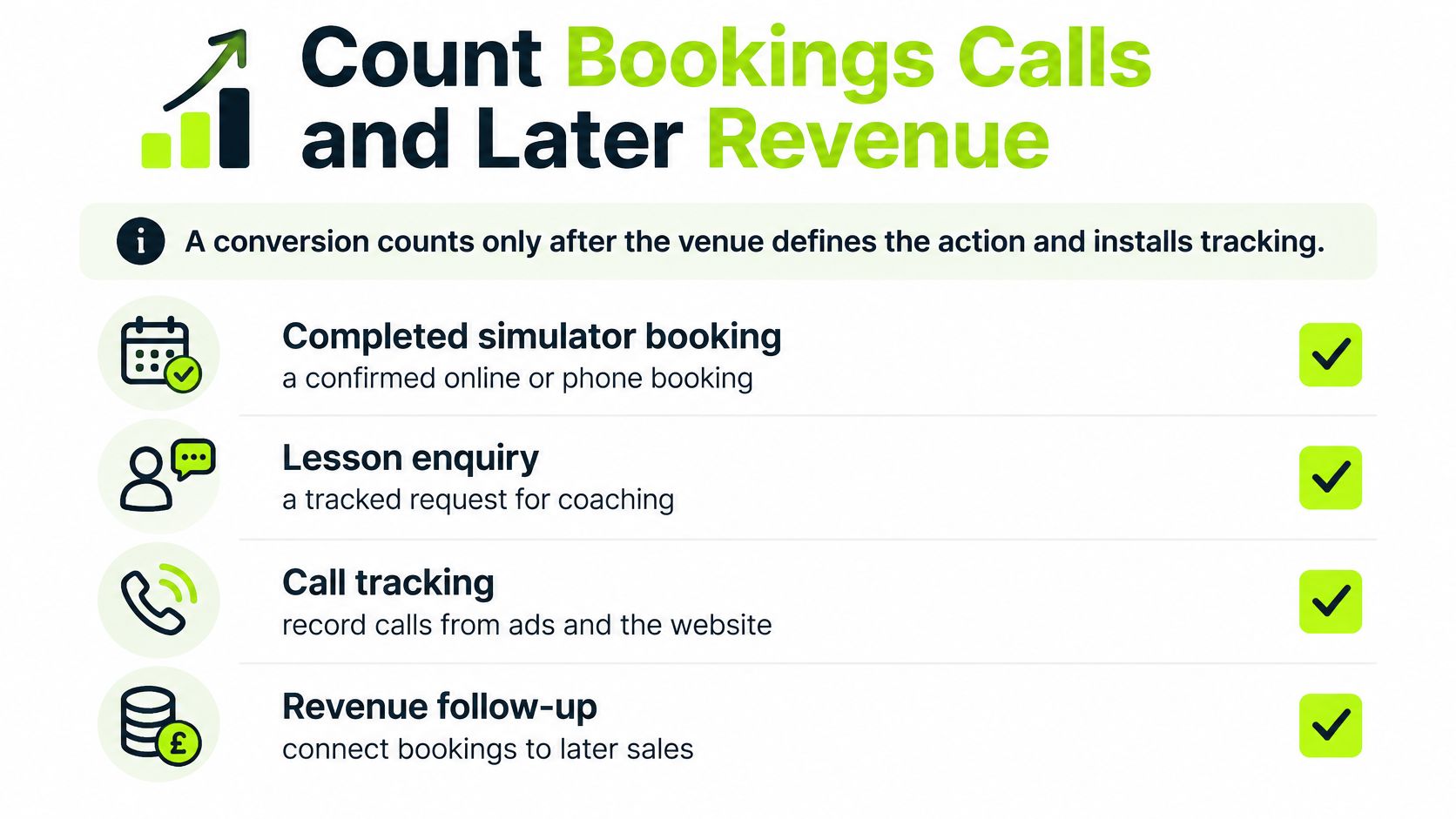
Indoor golf conversion actions and how to use them
| Action | How it is recorded | Bidding use | Commercial role |
|---|---|---|---|
| Completed bay booking | Tag on the booking confirmation | Primary | Direct session revenue |
| Lesson enquiry or paid lesson | Form or checkout, plus enhanced conversions | Primary | Coaching revenue |
| Qualifying phone call | Forwarding number and a minimum duration | Primary | Enquiries that close by phone |
| Click to call from the location | Call button on location assets | Primary in Performance Max | Visit intent |
| Directions request | Directions button on location assets | Eligible in Search and Performance Max | Footfall signal |
| Voucher or intro purchase | Tag on the purchase confirmation | Primary | Known basket value |
| Attended visit, corporate booking or membership | Offline import from CRM or till | Value-based once volume exists | Revenue after the click |
| Page view or brochure download | Do not set as a goal | Exclude from bidding | Not revenue |
Consent mode is not optional in the UK
For UK traffic, advertisers should configure consent mode so tags adapt to each visitor's consent status, and when consent is denied Google uses conversion modelling to estimate otherwise unobservable journeys, according to Google's consent mode guidance for Google Ads. Google reports that modelling recovers, on average, more than half of ad-click-to-conversion journeys lost through non-consent. The stated modelling threshold is 700 ad clicks over seven days for a domain-country grouping.
A single-site venue may never reach that threshold if campaigns are splintered into dozens of tiny pieces. Consolidate sensibly and validate ad_storage, ad_user_data, ad_personalization and analytics_storage states in Tag Assistant before you judge performance. Our own setup process for this is set out in our conversion tracking setup guide, including configuring conversion actions for leads and bookings.
Connect the click to the till
Keep the click identifier through the form or call process, store consent status and lead source in your CRM, and import attended sessions, paid lessons, corporate bookings and membership sign-ups as offline conversions. If you're setting up the analytics side, it helps to connect bookings to actual revenue rather than reporting sessions and hoping finance agrees.
Use enhanced conversions with hashed first-party data where your setup allows it, so bidding can favour leads that become revenue. A £20 trial as an illustrative example, a coaching package and a corporate booking must not share one value. They aren't the same outcome.
Report weekly on spend, primary conversions by type, cost per booked bay, cost per lesson, cost per corporate enquiry, show rate, and revenue imported from the till or CRM. If the show rate is poor, fix confirmation and reminders before raising bids. Start with conversion-led bidding on primary actions only, then move to value-based bidding once imported revenue is flowing and volume is high enough to learn from. Check current volume guidance inside Google Ads rather than relying on any fixed figure in an article.
How to Set Up a Local Indoor Account
Set this up in operating order. Don't launch ads and retrofit measurement later.
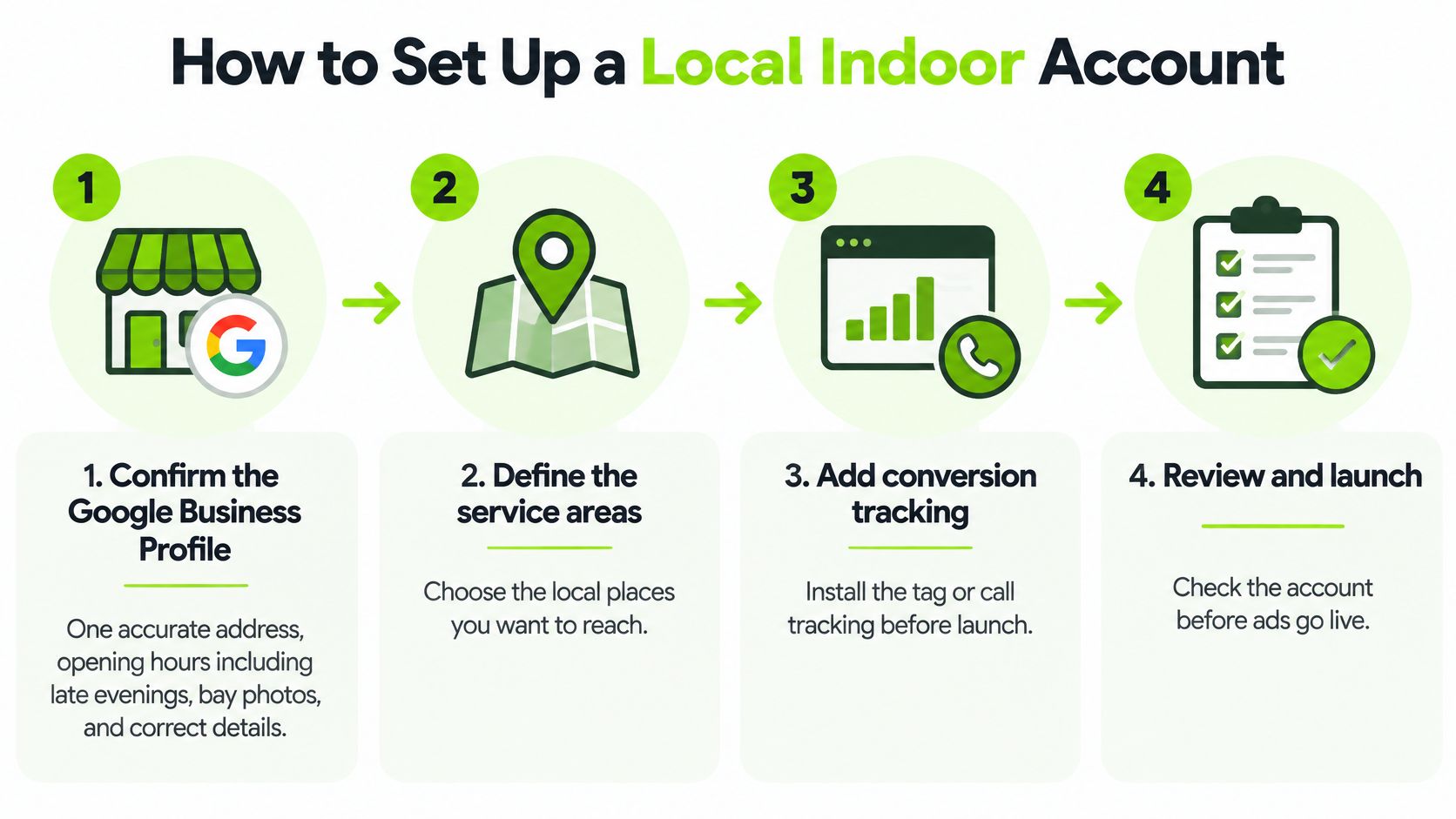
- Confirm the Google Business Profile: One accurate address, opening hours including late evenings, current bay photos, and services named as lessons, bay hire and corporate hire. If your hours say you close at 6pm but you sell bays until 10pm, you're suppressing your best inventory.
- Link the profile and add location assets: This is how calls and directions get measured alongside website bookings. Google's local actions documentation defines a directions conversion as a click on the directions or navigation button for a business location, and a click-to-call conversion as a click on the call button, when active location assets are in place. Directions can be used for bidding in Performance Max and Search campaigns, while clicks to call can be used for bidding in Performance Max campaigns. Website visits from listings are reporting-only.
- Set geography to realistic drive time: Often 15 to 30 minutes in a city and wider in a rural area, using your own customer postcodes to set the boundary. Exclude areas you can't serve and use presence targeting so you aren't paying for people who are merely interested in the place name.
- Build Search campaigns from the intent map: Ad copy should state the offer, the location and one concrete next step, such as book a bay, book a lesson or request a corporate slot. Don't write one ad that tries to say all three.
- Send each ad group to its matching page: Price or package, availability and a single action. If you're building pages for several towns or venues, LPagery's guide to local landing pages is a useful reference for keeping location pages specific rather than duplicated with the town name swapped.
- Add call assets properly: Use a forwarding number and set a minimum duration that matches a real enquiry, often 60 seconds or more as a starting point to test against your own call recordings. A misdial shouldn't count as a conversion.
- Turn on conversion tracking before launch: Define the primary actions first, test a booking, a form and a call end to end, and confirm each one fires once.
- Add Performance Max last: Use it only after Search has clean location assets and primary conversions in place, as a local top-up rather than your first campaign. Automation with weak conversion signals just spends faster in the wrong places.
Launch check
- Profile live: Hours, photos and services correct.
- Radius set: Based on drive time and existing postcodes.
- One page per intent: Lesson, bay, social, corporate, membership, voucher.
- Calls and forms tracked: Both tested, not assumed.
If any of those fail, fix them before you increase budget. Local structure is what turns search spend into visits. Without it, you're buying clicks and arguing about them afterwards.
What Bay Lesson and Corporate Maths Look Like
Run the sums with your own prices. Every figure below is an illustration for structure, not a benchmark to copy. The wider commercial context is growing, with the UK indoor golf simulator market valued at USD 93.75 million in 2025 and forecast to reach USD 172.53 million by 2034, according to Deep Market Insights. Market growth doesn't pay your rent, though. Bay-level contribution does.
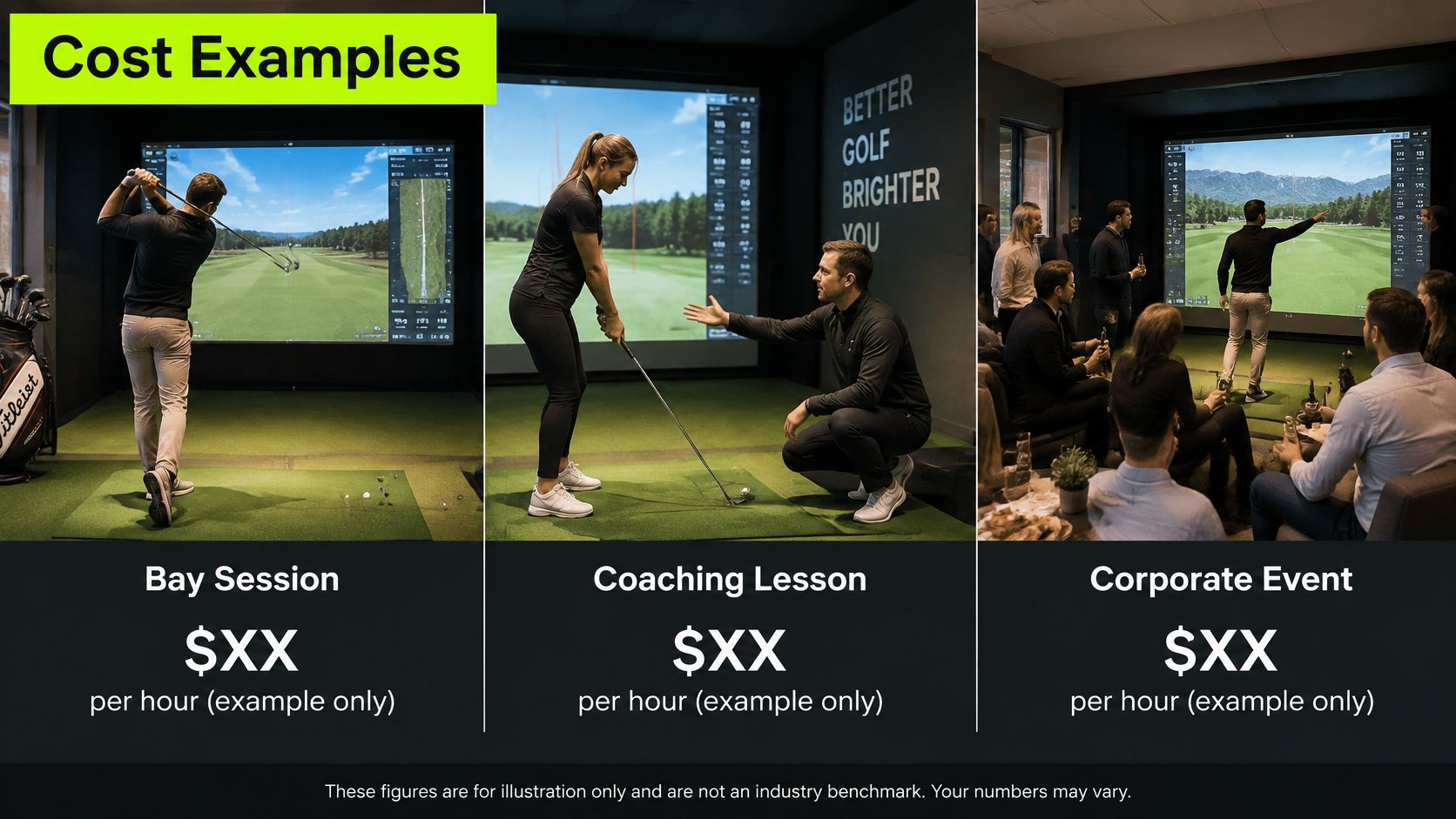
Three operator scenarios compared
| Scenario | Spend and clicks | Conversion and offer | Contribution test |
|---|---|---|---|
| A: four-bay Tuesday evenings | 200 clicks at your recorded cost | 5% book, 10 bays at £30 | Were those 10 hours empty? |
| B: lesson and block sale | Fewer clicks at recorded cost | £60 single lesson, with a block of five sold to a share of buyers | Block value versus one-off bays |
| C: corporate half-day | 30 clicks at recorded cost | 2 enquiries, 1 confirmed half-day | Enquiry valued above discounted public bays |
Read each scenario differently
Scenario A produces £300 of bay revenue from those 10 illustrative bookings. If the bays were already staffed and empty, contribution is that revenue minus ad spend and any extra food or drink cost, not a full share of rent for those hours. A modest return on empty capacity can still be worth buying. The same return displacing full-price peak bookings would be a poor deal. Our golf simulator bay pricing guide covers how to set those bay prices before you judge ad returns against them.
Scenario B looks worse on cost per enquiry and better on money. Fewer people search for lessons than for bay hire, and a coach's time costs more than an empty bay. But one £60 illustrative lesson that becomes a block of five can out-earn several one-off bays, and coaching clients tend to return on a schedule. A higher cost per lesson enquiry can be the better buy.
Scenario C is why conversion values matter. Thirty illustrative clicks, two enquiries and one confirmed half-day at, say, £600 plus food in your own pricing can out-earn a month of discounted public bays. If that enquiry carries the same value as a single bay booking, bidding will underinvest in it.
Then run the repeat test. Of your last 20 first-time simulator visits, count how many rebooked within 30 days, how many took a lesson, and how many asked about winter membership or a course trial. That tells you whether you're buying one-off hours or the start of recurring revenue. Run these three sums on last month's ads before you change structure.
Fix the Empty Bays Before You Scale Spend
Indoor golf Google Ads works when each search buys a specific empty hour, lesson or hire, and when the account is judged on attended revenue. Use this decision rule before you touch budgets.
If peak bays are full, don't buy more peak clicks. Advertise off-peak hours, lessons and corporate dates that are still open. Our guide on how to fill golf simulator bays works through that off-peak problem in more detail.
If the diary is empty but the query report shows irrelevant searches, fix keywords and pages first. More budget on a dirty search terms report just buys waste faster. If bookings look cheap but people don't show or rebook, fix confirmation, reminders and the reason to come back before you call the ads a failure.
If corporate and membership outcomes are invisible in reporting, import them before letting automated bidding chase the cheapest form. That single change often redirects spend toward the searches that pay.
A venue that only sells public hours should stop at bay and lesson economics and run them tightly. A club with a course should keep indoor ads on the indoor product and measure later membership separately, without pretending every simulator visitor is a member in waiting.
Do this now. Export the last 30 days of search terms, mark each one as bay, lesson, corporate or waste, and point the waste and the already-full hours away from live spend. That exercise tells you more than another month of debating click costs.
GolfRep works with UK golf clubs and indoor facilities to build acquisition around real capacity, with campaigns, CRM follow-up and revenue reporting joined up from first click to attended booking. If you'd like help mapping which constraint is limiting your bay, lesson or corporate revenue, visit GolfRep and talk to us about your diary, your drive time and your current search terms.
Ready to tap into our proven growth system?