Golf Club CRM Data Migration: A Practical Workflow

The committee has approved a new membership system. Your outgoing supplier offers a spreadsheet and a PDF of the member list, while the new provider asks when you'd like to go live. Meanwhile, renewals, visitor bookings and membership payments still need to run without interruption.
That's the challenge of golf club CRM data migration. At GolfRep, we treat it as a governance and continuity exercise: decide what should move, who owns each decision, and how the club will prove the records are usable before importing anything. Choosing software doesn't settle those questions.
The Six-Phase Migration Workflow at a Glance
A member list isn't the same as a member history. You need to preserve the relationships between a person, their household, membership category, bookings, payments and communication preferences.
The scale warrants proper controls. The R&A's Satellite Account for Golf in the UK reports approximately 889,000 golf members across the UK. Within an individual club, however, the practical problem is agreeing which system holds the authoritative record for each part of that relationship.
Set the source of truth before loading
Finance should approve payment balances. The membership secretary should approve membership status and category. Booking staff should confirm reservation records. Don't let the migration provider resolve conflicting business definitions by choosing whichever field is easiest to import.
Migration phases, outputs and exit tests
| Phase | Main activity | Output | Exit test |
|---|---|---|---|
| 1. Inventory and scope | List source systems, owners and record types | Signed-off inventory | Every record type has a named owner |
| 2. Extract | Pull immutable copies from each source | Stored extract files | Row counts match the source system |
| 3. Profile and cleanse | Check null rates, invalid values and duplicates | Data quality report | Duplicate and invalid rates agreed and recorded |
| 4. Map and transform | Map fields and legacy statuses to the new taxonomy | Approved mapping sheet | Every legacy status has a target value |
| 5. Stage and reconcile | Load to a test environment and compare totals | Reconciliation report | Zero unexplained variance on counts and payments |
| 6. Cutover and delta | Run a timed final load and go live | Live system with rollback snapshot | Post-cutover reconciliation signed off |
Keep the original extracts unchanged. Work on controlled copies, retain each legacy record ID and document every transformation so staff can trace a live record back to its source.
For a broader explanation of migration dependencies, Truespeak's guide to how to migrate CRM records safely is useful alongside the club-specific controls above.
Give each phase a completion date and a named approver with authority to stop the work. Read the table as a checklist, not a suggested sequence: the exit test must pass before the next phase begins.
Building a Realistic Migration Timetable
Allow time for decisions, not just file transfers. The Hillier Hopkins Golf Clubs Survey Report describes implementation typically taking approximately seven to eight months.
The example below is a planning assumption for a mid-sized club, not an industry benchmark or supplier commitment. Adjust it once export availability, contract notice and integration work are understood.
Indicative migration timetable by gate
| Stage | Owner | Gate decision |
|---|---|---|
| Export specification and contract notice, example weeks 1 to 6 | Club secretary | Specification agreed in writing |
| 1. Inventory and scope, example weeks 7 to 9 | Data owner | Signed-off inventory |
| 2. Extract, example weeks 10 to 11 | Outgoing supplier | Row counts match source |
| 3. Profile and cleanse, example weeks 12 to 17 | Data owner | Quality report agreed |
| 4. Map and transform, example weeks 18 to 21 | Commercial manager | Approved mapping sheet |
| 5. Stage and reconcile, example weeks 22 to 25 | New system provider | Zero unexplained variance |
| Parallel run and staff training, example weeks 26 to 33 | General manager | Business sign-off to retire old system |
| 6. Cutover and delta load, example week 34 | General manager | Post-cutover reconciliation signed off |
Schedule around club operations
Avoid a cutover that competes with subscription collection, a major competition or a busy visitor period. Where practical, let the parallel run cover a complete renewal or booking cycle, with a clear rule about which system staff may edit.
Planning rule: A missed gate changes the timetable. A deadline doesn't turn an unresolved variance into an acceptable result.
Getting a Usable Export From Your Current Supplier
Start before the contract ends, not after. Agree the export specification while the supplier still has time and contractual responsibility to answer questions.
TuvaBook's guide to retrieving golf club data before switching explains the importance of machine-readable exports, stable identifiers and linked histories, drawing on ICO guidance about data return and portability. Ask for CSV, XML or JSON files appropriate to the receiving system, not a PDF presented as a migration-ready dataset.
Give the supplier a written specification
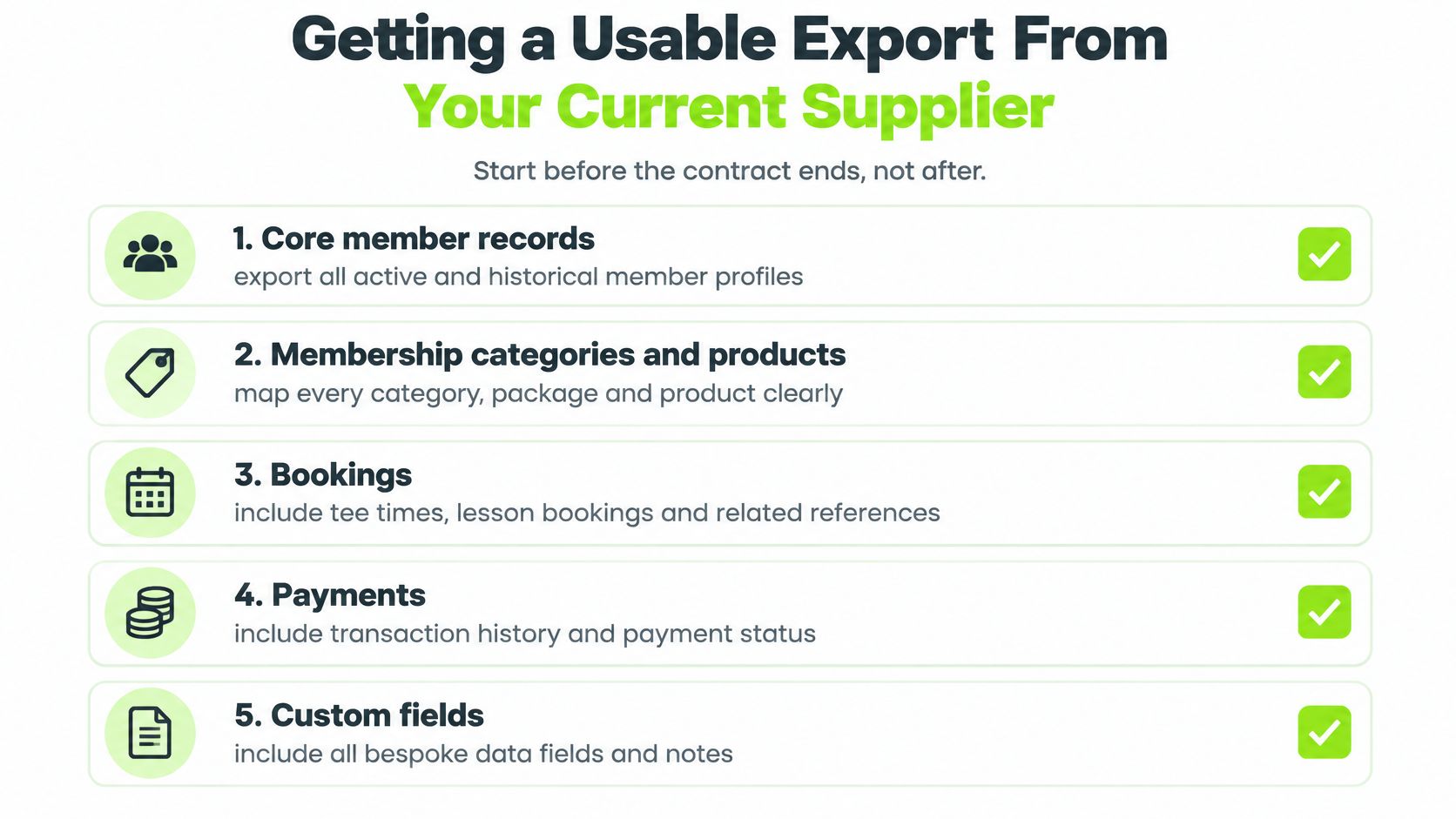
Request separate, clearly mapped exports for:
- Core member records, including legacy IDs, contact details, relevant custom fields and notes.
- Membership categories and products, including category codes, subscription products, joining dates and household relationships.
- Booking history, including tee times, lesson bookings, cancellations and references linking each booking to a person.
- Competition records, with the identifiers and relationships needed by the receiving platform.
- Payment data, including transactions, outstanding balances, payment status and usable mandate references.
- Consent preferences, including channel-specific permissions, opt-outs, collection dates and supporting evidence.
Every linked file needs a stable person or member identifier. Names and email addresses aren't reliable substitutes: members change addresses, families share inboxes and staff make spelling corrections.
Request a data dictionary explaining field meanings, date formats, status values, blank values and historical coverage. Ask whether notes, attachments and bespoke fields require separate exports, and get any exclusions recorded before approving the specification.
Check usability before ending access
A PDF can help staff inspect a record, but it isn't an acceptable replacement for structured files. Without linked exports, the club might retain a former member's name while losing the connection to their payments, visits and correspondence.
Transfer files through an agreed secure channel with restricted access. Payment information needs particular care: establish what the payment provider can transfer rather than putting sensitive credentials into a general spreadsheet.
On receipt, compare each file's record count with the supplier's control totals and inspect a representative sample against the live system. Our recommended sample is at least 30 records per file, expanding it where exceptions appear. Once validation is complete, obtain written confirmation of the agreed data return and deletion arrangements, including any copies retained under a documented obligation.
Deciding Which Records Move and Which Stay Behind
Copying every historical contact is an easy way to fill the new CRM with records nobody can confidently use. Availability isn't a retention justification, and a historical booking isn't permission to start a promotional journey.
Waiting-list records deserve particular attention. In the 2025 UK members' club survey reported by Golfshake, 53% of clubs reported a waiting list, and the average waiting list contained 122 people. Losing application dates, preferred categories or correspondence can undermine how fairly and effectively the club manages that list.
Decide the purpose of each record
The ICO's storage limitation guidance says personal data shouldn't be retained longer than necessary and recommends a documented retention policy. There isn't a universal CRM retention period that makes every old contact safe to keep.
For each record type, document:
- Purpose: Why does the club still need it?
- Decision owner: Who approves retention or exclusion?
- Review date: When will its relevance be reassessed?
- Disposal rule: What triggers deletion or anonymisation?
Record types, migration treatment and retention checks
| Record type | Migrate as | Condition | Retention check |
|---|---|---|---|
| Current members | Full relevant history with household link | Active membership and payment mandate confirmed where applicable | Keep necessary records while membership continues |
| Waiting-list applicants | Prospect with category and application date | Source and consent status recorded | Review against waiting-list policy |
| Recent enquiries and visitors | Prospect or visitor record | Source and consent evidence present, with marketing eligibility assessed separately | Set a review date, then delete or anonymise if no longer needed |
| Lapsed members | Lapsed record with reactivation window | Opt-out and suppression flags carried across | Defined reactivation period, then remove unless another purpose applies |
| Duplicates and split households | Master person records with correct household links | Deterministic match confirmed before merging people | Keep legacy IDs, delete surplus copies |
| Old payment records | Retained financial history only where needed | Financial retention requirement identified | Keep for the required period, then remove |
A family membership still needs distinct person records. A household link should connect the individuals, not turn several golfers into one contact with a shared payment balance.
Likewise, keeping accounting records doesn't mean those records belong in an active sales audience. Separate restricted financial archives from records staff use for day-to-day relationship management.
A smaller CRM with reliable histories and clear permissions is more useful than a complete export nobody trusts.
GolfRep's guide to building a usable golf club database helps frame the underlying structure. Judge migration success by whether staff can use the records correctly, not by the proportion of exported rows imported.
Cleansing Duplicates and Mapping Fields Correctly
The same golfer may have a booking ID, a membership number and a payment-platform customer reference. Those are different identifiers for potentially the same person, not automatic proof of separate customers.
The ICO's data protection principles guidance requires accurate personal data and supports recording its source. That makes cleansing a compliance task as well as protection against incorrect renewal follow-up and misleading commercial reports.

Clean in a controlled order
- Profile the untouched files. Measure blank mandatory fields, invalid values, duplicate candidates and conflicting statuses before changing anything.
- Standardise formats. Clean whitespace, postcodes, telephone numbers, dates and category codes without removing meaningful distinctions.
- Match strong identifiers first. Start with membership numbers and verified payment references. Treat shared email addresses as supporting evidence, not conclusive identity.
- Review probable matches. Compare name, postcode and phone combinations manually where confidence is insufficient for an automatic merge.
- Choose the authoritative value. Record the source and date when membership, finance or booking systems disagree.
- Map legacy statuses. Use a controlled list such as active, suspended, lapsed, prospect and deceased. Preserve the original status separately.
- Validate structure and relationships. Check UK postcode and mobile formats, ISO 8601 dates, currency to two decimal places, and links from visits, lessons and transactions to their parent records.
A format check won't prove that an email address belongs to the intended member. Keep technical validity, identity confidence and marketing eligibility as separate checks.
Resolve people, not just matching text
Say a couple shares one email address. Merging them would remove an individual membership history and could attach the wrong booking or subscription to the remaining record. Keep separate people linked to the household and define how shared-address communications should work.
In another scenario, a member appears as a 2019 joiner in membership records and a 2023 enquiry in a website export. If identity is confirmed, retain one person record with both events and their dates. Don't overwrite their joining history with the later enquiry or erase the enquiry's original source.
For the technical handover, CloudOrbis on minimizing migration downtime provides useful background on staging and operational continuity. The club must still approve the business meaning of every mapping.
Finish with a quality report showing rows received, duplicates found, missing mandatory fields, invalid emails, conflicting statuses and excluded rows. Assign each unresolved exception to a person, with an action and completion date, rather than leaving it buried in the import log.
Protecting Consent and Communication Preferences
A successful import can still produce duplicate renewal reminders or promotional emails to people who opted out. A populated consent column isn't enough: the club needs to understand what the value means and what evidence supports it.
Separate lifecycle rules are sensible for different groups. A membership survey reported by GolfMagic identified 9% of members as juniors, reinforcing why an adult-member communication routine shouldn't be applied to every record.
Build suppression before audiences
- Map purpose and basis. Define each permission field, the relevant processing basis and the channels it covers.
- Preserve evidence. Carry across when and how consent was collected, including wording or form version where available.
- Load opt-outs first. Make suppression rules operational before staff build campaign audiences.
- Separate service from promotion. Booking confirmations and genuine renewal administration need different treatment from sales messages.
- Apply lifecycle controls. Review junior and parent arrangements, visitor permissions and lapsed-member eligibility independently.
Suppose a visitor ticked a marketing box on an old booking form, but the club can't establish what wording they accepted. Don't mark them as consented merely because the old system did. Obtain valid permission through an appropriate interaction; don't assume an unsolicited re-permission email is lawful or disguise promotion as a service message.
The Social Search's overview of email marketing laws by region offers broader context, but the club's adviser should confirm the UK GDPR and PECR interpretation. Apply equivalent channel-specific scrutiny when planning golf club SMS marketing.
For a multi-site operator, use a global person key with site-level memberships and permissions. Test whether an opt-out applies to a particular club, channel or wider group, then hold campaigns until the resulting audience reconciles.
Testing Integrations and Cutover Before Sign-Off
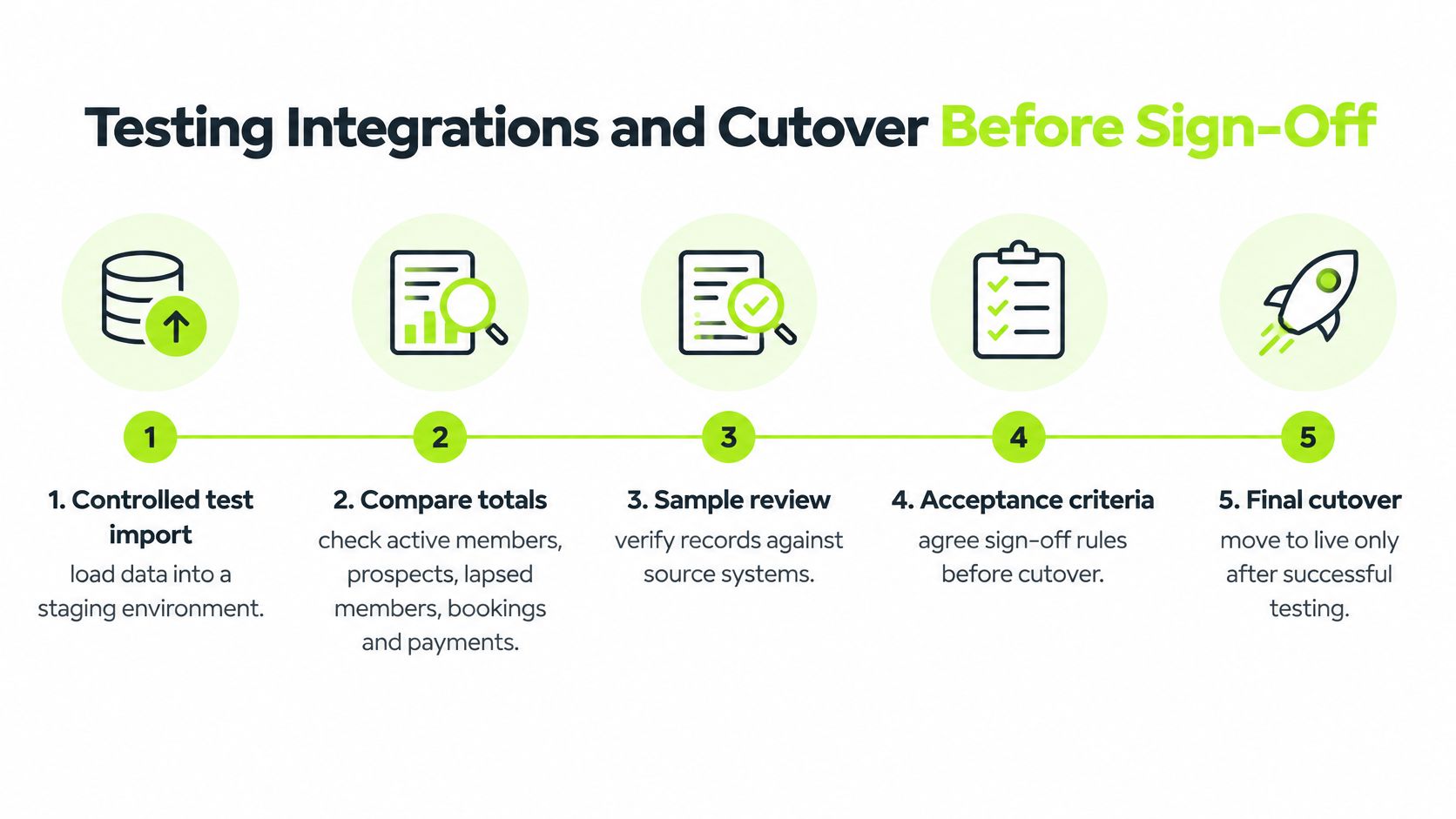
Agree the acceptance criteria before anyone runs the test import. Otherwise, the project team can end up redefining success around whatever the receiving system happens to accept.
Acceptance checks before live use
| Check | Pass standard | When to run |
|---|---|---|
| Active-member count | Reconciled to the source with no unexplained variance | Test import and final delta |
| Payment totals | Zero unexplained variance against the source | Test import and final delta |
| Sampled records per segment | At least 30 per major segment checked against source, as a recommended club acceptance rule | Before automation is enabled |
| Consent completeness | Every promotional contact has a recorded basis | Before any campaign audience is built |
| Integration test records | Payments, bookings and forms match the existing person ID | Before go-live |
| Orphaned child records | None left without a parent record | After each load |
| Rejected rows | Each rejection logged with a reason | After each load |
These are recommended operational standards, not a guarantee that sampling will find every error. The ICO's information accuracy, quality and retention toolkit supports agreed quality checks, retention arrangements and technical advice when moving information between systems.
Test whole member journeys
Use controlled records from active members, prospects, lapsed members, bookings and payments. For each sampled person, inspect the name, membership category, status, payment relationship, consent flag and household link.
Run payment tests through the provider's approved test process, checking the intended amount and payer without triggering unintended collections. Confirm whether existing mandates can be transferred; importing a reference doesn't prove collection authority has moved.
Submit a website form for an existing contact and make a booking against that person. The integrations should update the correct record rather than create another profile, while the email platform should honour its suppression status.
Use the diagram as an operational reminder, with acceptance rules agreed before testing starts.
Rehearse the live changeover
Freeze edits in the outgoing system, then run the delta load, containing changes since the approved extraction. Keep outbound campaigns suppressed while the team reconciles the final counts, balances and exceptions.
Once the general manager approves the result, switch staff and members to the new system. Retain a rollback snapshot and agreed legacy access during stabilisation, but don't permit uncontrolled editing or duplicate payment collection in both systems.
Stop condition: If an acceptance check fails, hold cutover, identify the cause, correct it and rerun the affected tests.
Record rejected rows and orphaned transactions with reasons and owners. The sign-off record should name the approver, date, criteria met and any explicitly accepted non-critical exceptions.
GolfRep's golf club management software guide provides broader platform context. For migration approval, however, working integrations and reconciled records matter more than a completed feature checklist.
Confirm Staff Ownership and Request Your Export This Week
Name the person who owns data decisions after go-live, not just during implementation. The membership secretary or general manager should remain the clear escalation point when staff find a conflicting status, missing payment link or uncertain permission.
We integrated five Macdonald golf sites into a central CRM. Centralisation makes ownership more important, not less: local staff need to know which decisions they can make and which require group approval.
Put the first actions in the diary
- List the records. Write a one-page inventory of member, visitor, waiting-list, booking, payment and communication data.
- Request the specification. Ask the outgoing supplier for the proposed export structure and exclusions in writing.
- Appoint decision-makers. Name the data owner and final sign-off approver.
- Agree the gates. Include a test import, staff training, parallel operation and cutover decision.
- Schedule governance reviews. Set dates for retention and consent decisions before import.
Train staff using authorised records from the test environment. Cover where a member's record lives, how to create a new joiner, how to record consent and where to flag a payment problem.
Set a firm retirement date for operational spreadsheets and review the routine when parallel running ends. An old spreadsheet left editable can become an unofficial source of truth within days.
At GolfRep, we manage setup, creative, campaign optimisation and automation within our growth work, so club teams handle warm and hot conversations or membership visits. That doesn't remove the club's responsibility for its membership and financial decisions.
GolfRep helps golf clubs connect CRM, acquisition, conversion and retention around reliable customer records and clear operating processes. Visit GolfRep for an open, strategic conversation about your current setup, migration constraints and commercial goals, not a sales pitch. If we're not confident we can help, we'll say so directly.
Ready to tap into our proven growth system?