Golf Club Automation: A Practical Guide for UK Clubs
A club manager's Monday rarely starts with a clean desk and a quiet tee sheet. It starts with weekend enquiries, altered bookings, payment questions and several people assuming somebody else has already dealt with the problem.
The commercial opportunity in golf club automation sits inside those ordinary moments. The aim isn't to replace the judgement of a secretary, general manager or PGA professional. It's to make sure routine information moves to the right person, at the right time, without relying on memory, duplicated spreadsheets or a late-night inbox check.
A Monday Morning at a Typical UK Club
By half past eight, the club secretary is working through visitor enquiries that arrived on Saturday evening. One golfer wants a weekday tee time, another has asked about society availability, and a third has submitted a membership question through the website but hasn't received an acknowledgement.
At the same time, the operations lead is looking at a tee sheet that's already been altered several times. A member has moved a booking, a visitor slot has been held for a society, and the Saturday morning discussion has migrated from the office to a committee WhatsApp group. Some members want the new slots protected for members. Others think opening them to visitors could help the club's revenue.
The membership administrator has another problem. Two renewal reminders went to members whose payments had already been processed. A society organiser is chasing a deposit invoice, while the accounts team is trying to match payments to bookings and applications.
None of this is glamorous work. It's essential work, but it's fragmented across email, booking software, payment records, spreadsheets and conversations. The club's people spend time checking whether an action has happened rather than deciding what should happen next.
The cost of relying on memory
A manager may know the right process perfectly. The difficulty comes when the process depends on one person remembering to update three systems, send two messages, create a task and tell a colleague before the next busy period begins.
Practical observation: The best automation projects start with the repetitive work that staff already understand, but don't have enough time to complete consistently.
The question isn't whether the club needs more software. It's whether the routine work on Monday morning could happen without a human chasing every step.
What Golf Club Automation Actually Means
Golf club automation is the use of connected software, workflows and rules to move information between club systems and people without manual re-keying. It can link membership records, tee sheets, payment status, communications and enquiry activity so that one completed action triggers the next appropriate step.
That's different from generic marketing automation. A marketing platform may send an email campaign to a list. Club automation starts with operational information, such as a joining date, a tee-time booking, an unpaid invoice, a competition entry or a membership category, then applies a rule that reflects how the club operates.
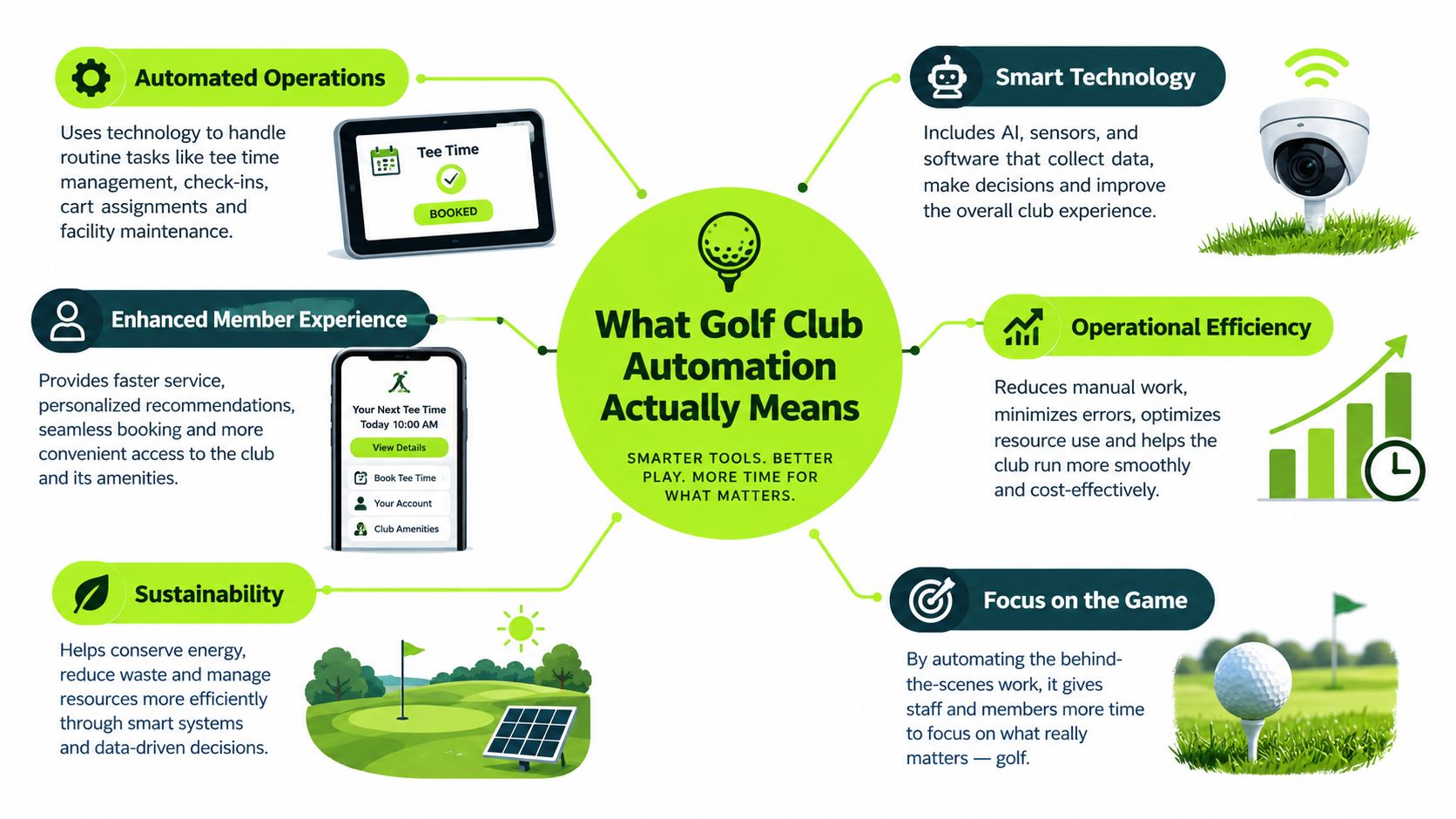
The connected club workflow
A practical system might work like this:
- A new enquiry arrives: The website creates or updates a CRM record, records the source and acknowledges the enquiry.
- A booking is made: The tee-sheet system confirms the booking, sends payment instructions where needed and schedules pre-arrival information.
- A member joins: The system starts a welcome sequence, creates the relevant administrative tasks and records the member's lifecycle date.
- A renewal date approaches: The member enters a sequence based on category and payment status, rather than receiving a generic message at the wrong time.
- An enquiry needs judgement: A staff member receives a task with the relevant context, instead of searching through separate inboxes.
AI can help qualify an inbound enquiry, summarise a conversation or suggest the next action. It isn't the whole system. A chatbot that can answer questions but can't connect to the booking or membership process creates another isolated channel. For a broader discussion of the operational trade-off, see this guide to replacing an admin with AI.
Process first, software second
The order matters. First map the journey, decide who owns each stage and define the exceptions. Then choose the systems and integrations that can support it.
The objective is straightforward: less repetitive administration, clearer ownership, faster action and better visibility of commercial performance. Modern UK club platforms already support workflows for membership sign-ups, renewals, billing, competitions and reporting, while digitalisation projects such as Royal Dornoch's have included ancillary details such as locker allocations and bag storage within the membership process. Intelligentgolf's overview of club digitalisation provides useful context on how these operational layers can sit together.
The Use Cases That Move the Numbers
Automation earns its place when it improves a measure the club manager can see and act on. Start with the daily moments that create work or lost revenue, then assign each workflow one primary commercial outcome.
| Automation use case | What runs automatically | Primary metric improved |
|---|---|---|
| Website enquiry capture | Creates a record, acknowledges the enquiry and assigns ownership | Enquiry-to-booking rate |
| Lead qualification | Separates membership, visitor, society and general enquiries | Time-to-first-response |
| Tee-sheet integration | Sends booking confirmation, payment prompts and pre-arrival information | Completed bookings |
| Member onboarding | Triggers welcome communications and internal tasks | Early member engagement |
| Renewals and win-back | Uses dates, payment status and activity to prompt outreach | Member retention |
| Society and event enquiries | Collects dates, group size, requirements and budget in a structured form | Society revenue per enquiry |
| Multi-site CRM | Shares contact history and commercial activity across venues | Cross-site visibility |
Enquiry handling and qualification
A website enquiry should become a managed record as soon as it arrives. Capture the preferred date, group size, playing requirements, source and next action, then assign it to the staff member who can answer it. An automatic acknowledgement buys the team time, but it does not replace ownership.
Membership enquiries need a separate route from casual green-fee requests. A prospective member may need a call, a visit, details of available categories or an explanation of joining arrangements. A visitor usually needs availability, pricing and a payment option. Keeping both in one queue weakens reporting and makes it harder to set the right response.
The practical measures are time-to-first-response and enquiry-to-booking rate. A report showing source, owner, status and outcome will usually support better decisions than a long list of disconnected marketing figures.
Clubs reviewing the workflow can use this golf club automated follow-up guide for practical examples of follow-up timing and ownership.
Bookings, payments and pre-arrival communication
A confirmed tee time should create the correct confirmation and payment task. If payment remains outstanding, the workflow should identify that status and prompt the golfer accordingly. Sending the same message to every booking creates avoidable contact and leaves the accounts team checking records by hand.
Pre-arrival communication can cover directions, arrival expectations, catering options and course information. The gain is operational control across the tee sheet, accounts team and front desk. Staff spend less time comparing systems, and golfers receive information that matches their booking.
Membership, societies and groups
A new member's journey may include the signed application, payment, category, handicap administration, welcome information and first interaction with the club. A useful workflow assigns each step, records completion and prompts staff when an action remains open. Renewal messages can use membership dates and payment status to start outreach before a lapse becomes difficult to recover.
UK clubs using membership and CRM software can automate renewal notices, reminders and invoices, while direct debit or card payments run through secure gateways. Staff can also segment communications around competitions, overdue payments and category-specific updates. This UK membership management overview sets out the practical role of these workflows.
Society and event forms should collect enough detail for staff to prepare a sound quotation. Ask for preferred dates, player numbers, catering, format, accommodation where relevant and deposit requirements. The useful measure is society revenue per enquiry, rather than the number of forms submitted.
Multi-site visibility
A group operating across several venues needs a shared relationship history while preserving the commercial differences between courses. An independent UK case study describes an operator working across 9 golf courses, with 160,000 contacts, 5,500 members, more than £14 million in revenue, 30 sales seats and nearly 4 million marketing emails sent in 2022. It also reported more than 400 pricing rules connected to tee-sheet and booking systems. The UK golf club CRM case study illustrates why pricing, membership and marketing need coordinated records rather than entirely separate processes.
The strongest returns usually come from a small set of dependable workflows. Build those around response ownership, payment status and member dates before adding less important tasks. Automating every available process too early adds complexity without giving the club better control.
The Recommended Tech and Architecture
A workable stack has five layers. The aim is not to replace every system. It is to give staff clear ownership of the information that moves between the tools they already use, from a Monday enquiry to a paid booking.
The five operating layers
The CRM is the central record. It should contain contact details, enquiry source, membership status, booking history where available, payment state, consent and the next action. Keep its scope clear. Agree which fields matter, who maintains them and when records are reviewed. A CRM filled with unchecked spreadsheet imports creates more work than control. The guide to choosing a CRM for golf clubs provides a useful checklist for testing these decisions against actual club workflows.
The tee-sheet and booking engine provide live availability. Booking events can trigger confirmations, payment requests and pre-arrival messages. Availability copied manually into another system creates a direct risk of offering a slot that has already changed. The booking system should remain the authority for capacity and times.
The payments layer closes the commercial action. Direct Debit, card payments and gateways such as Stripe or GoCardless can support joining fees, renewals and visitor payments. Staff need to see the amount due, payment date, payment status, refund state and related member or booking record without checking several screens.
Communications should follow the situation. Email suits detailed information. SMS works for concise reminders and time-sensitive updates. WhatsApp can support conversations where the club already uses it responsibly, while print remains appropriate for members who prefer physical communication. Record consent and channel preference before automating messages.
Reporting turns activity into management information. Managers and committees should be able to view enquiries by source, open opportunities, membership applications, renewal status, visitor bookings, society pipeline and revenue connected to each activity. A report that cannot identify its source or owner will not improve a weekly decision.
Member-facing technology may sit alongside these operational systems. Comparing the wider capabilities of a Sports Club App can help a club decide how communication and member access should work without making the app responsible for every back-office process.
Integration ownership and failure points
Middleware such as Zapier or Make can connect systems without native integrations. Use it for straightforward triggers, while keeping the underlying process visible to staff. A connection that fails without alerting users can leave an enquiry unassigned or a payment record incomplete.
For each connection, document:
- The source system: Which platform owns the original record?
- The receiving system: Where should the information be copied or used?
- The owner: Which named person checks the connection?
- The failure alert: How will the club know a record or payment did not move?
- The fallback: What manual process applies while the issue is fixed?
Test these questions with real member, visitor and society workflows before approving the architecture. Configuration should make everyday responsibility clearer, not move it into an integration nobody checks.
A Phased Implementation Roadmap
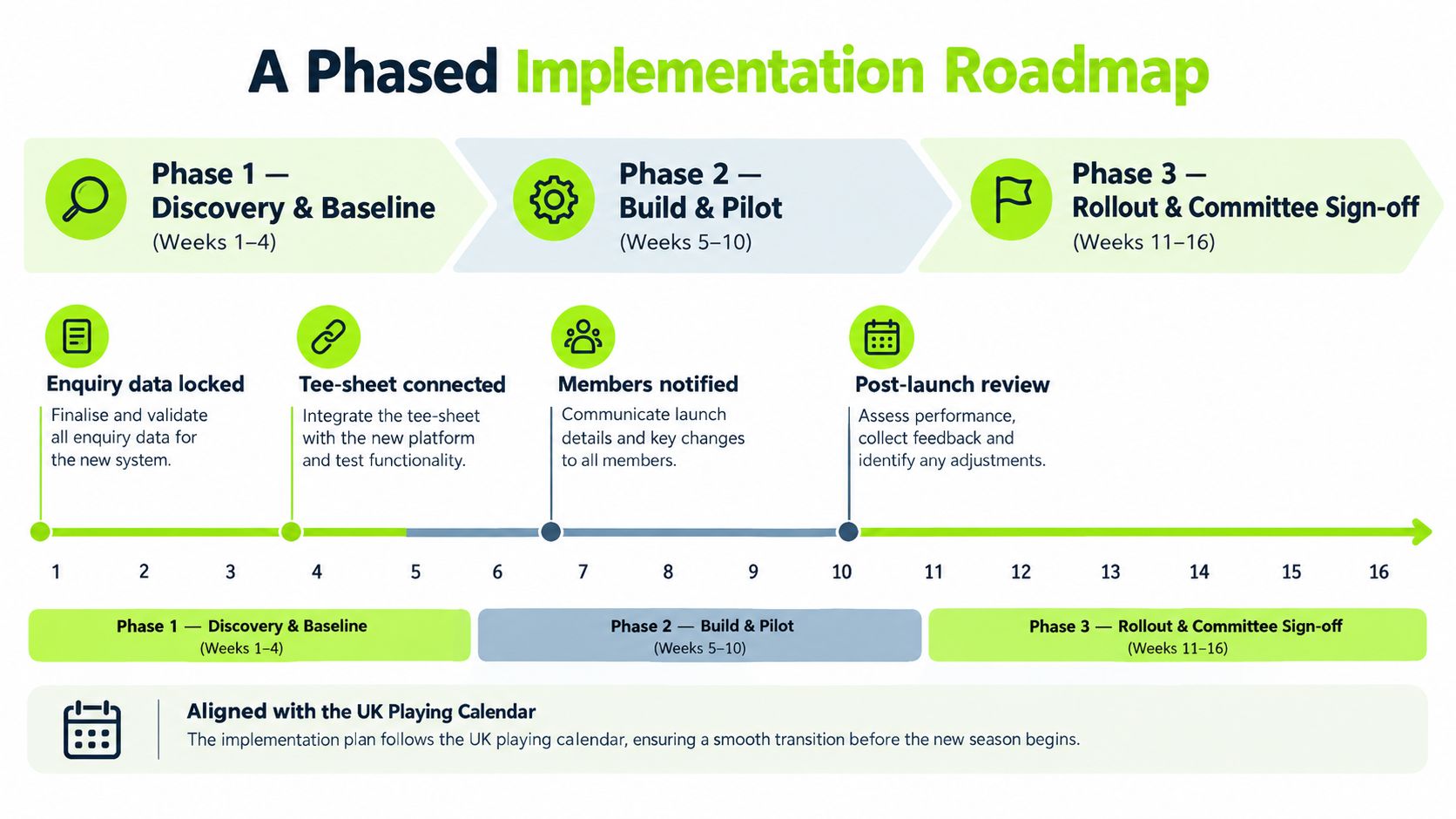
A committee-led club shouldn't switch every system at once. The safer route is to establish a baseline, build one useful workflow, test it with staff, then expand only when the data and governance are ready.
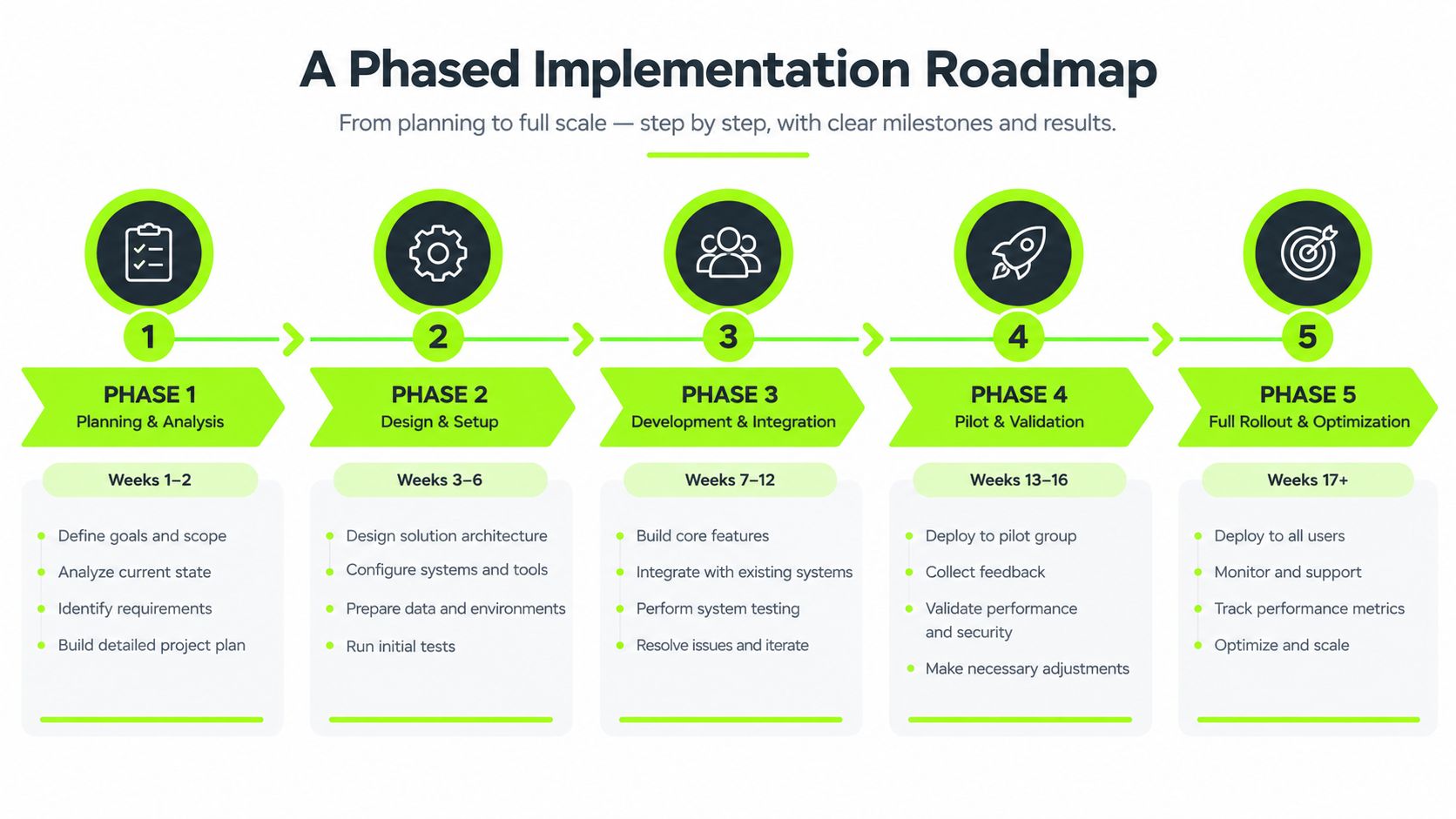
Phase one covers discovery and baseline
Start by documenting how the club currently handles visitor enquiries, membership applications, renewals, joining fees, society enquiries and reporting. Record where each piece of information begins, who touches it and where the process can fail.
The baseline should include current enquiry status, renewal dates, member movement, society outcomes and the time staff spend on repetitive tasks. Don't estimate an improvement before the current position is visible.
Phase two builds the core workflow
Deploy the CRM structure and website forms first. Visitor, membership and society enquiries should have separate categories, owners and next actions. Keep the first rules simple. Acknowledgement, assignment and a clear follow-up task are more valuable than a complicated sequence nobody trusts.
Test with internal enquiries and a small group of non-members before changing the public journey.
Phase three adds payments
Connect payment events for renewals, joining fees and visitor transactions once the records and ownership rules are stable. Check what happens when a payment fails, is duplicated, refunded or made outside the normal route.
Member-facing changes need written approval before launch. The committee should understand the communication, the data used and the person accountable for exceptions.
Phase four introduces qualification and nurture
AI qualification can be added after the basic routing works. It may identify whether an enquiry concerns membership, a visitor booking, a society or an event, then pass the context to a staff member. Automated follow-up should support, not replace, a personal conversation where the value or complexity warrants it.
The guide to lead qualification automation is relevant at this stage because qualification rules need to reflect commercial priorities, not just form responses.
Phase five embeds reporting
By the time the committee reviews the system, it should see the movement from enquiry to outcome, renewal stage, society opportunity and revenue. Build the report around the decisions the board makes.
Avoid launch windows that compete with Open weeks, the August medal rush or AGM months. A quiet operational period gives staff time to test, correct and explain the new process before the club's busiest calendar moments.
What Good Looks Like in UK Clubs
At 8:30 on a Monday, a club manager should be able to see which membership enquiries arrived over the weekend, who owns each response and which visitor bookings need attention. Good automation makes those everyday decisions clearer. It does not remove the need for judgement, especially when staffing, weather and the playing calendar change.
Judge the result against the process that changed. A vendor's headline example may show impressive scale, but a UK club needs to know whether the workflow fits its team, calendar, data quality and members' expectations.
A multi-course revenue operation
A reported independent UK example covers 9 courses, 160,000 contacts, 5,500 members and more than £14 million in revenue. The operator also used 30 sales seats, sent nearly 4 million marketing emails in 2022 and applied more than 400 pricing rules across tee-sheet and booking systems. The reported multi-site CRM example shows the operational point: one CRM can connect pricing, membership and marketing when records, permissions and ownership are organised.
For a smaller club, the lesson is not to copy that scale. It is to connect the moments staff already manage, such as a membership enquiry, a visitor booking or a renewal exception, without creating another manual queue.
A membership conversion workflow
Another UK implementation recorded 86 enquiries, a £99,430 pipeline, 23 deals, £23,410 in revenue and a 17% conversion rate from Google Ads-generated leads. The useful practice is measurable follow-up. Staff can see where an enquiry came from, what stage it has reached, who is responsible and whether it became revenue.
That visibility gives a manager something practical to improve. If responses are late, fix ownership first. If enquiries stall after a visit, review that handover rather than buying another feature.
A club facing a software decision
A UK and Ireland study surveyed 134 club managers. It found that 66% would consider switching software providers, while 48% said their current system no longer fully met requirements. The research also reported an average of 7.43 months from software review to a live system. The UK golf club software study supports a cautious conclusion: migration, workflow disruption and staff adoption can take as much attention as platform selection.
| Club profile | Starting pain | Automation deployed | Practical outcome |
|---|---|---|---|
| Multi-site golf operator | Commercial activity split across venues | Shared CRM, sales, campaign and pricing workflows | Better contact visibility and pricing control |
| UK membership implementation | Enquiries lacked structured follow-up | Lead capture, pipeline management and follow-up | Measured conversion from paid leads |
| UK club software review | Existing systems no longer fully fit | Platform review and migration planning | Clearer operational readiness and system fit |
Set targets from the club's current failure point. Measure that point consistently, then improve one workflow at a time.
Common Pitfalls and How to Avoid Them
The most expensive mistake is buying software before deciding how the club's processes should work. A platform can send a renewal message quickly, but it can also send the wrong message to the wrong member if dates, payment status and ownership haven't been checked.
Four safeguards
- Audit the data first: Remove duplicates, confirm membership categories, check renewal dates and identify which system owns payment status.
- Choose one source of truth: Staff should know whether the CRM, membership platform or finance system is authoritative for each field.
- Write governance into the process: Committee approval should cover member-facing workflow changes, while named staff should have authority to operate and improve approved processes.
- Test the guest journey: Ask people who aren't familiar with the club to complete a booking or enquiry. A funnel that demands unnecessary logins will lose visitors.
The UK and Ireland software research found that 60% of surveyed managers identified integration with existing systems as one of their biggest challenges, while 19% said their current solution wasn't being improved. The GCMA software landscape research makes the practical risk clear. A new platform can create another silo if the migration plan is weak.
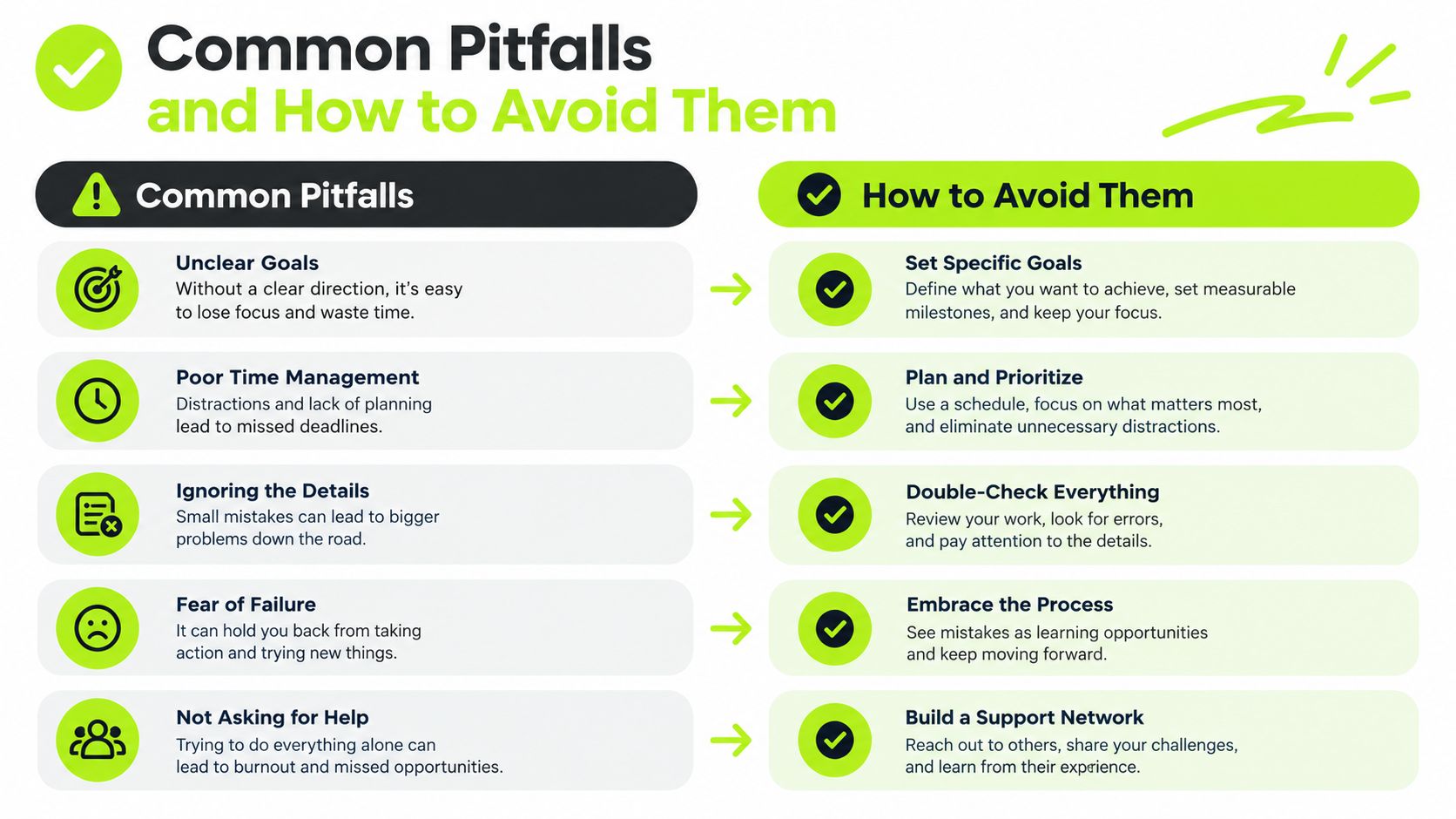
Member experience matters: Efficiency is only a success if the member, visitor or organiser finds the process easier.
Don't automate a broken approval process. Fix the journey, assign ownership and then use software to make the agreed process repeatable.
Identifying Your Next Commercial Constraint
The next automation project should address the club's tightest commercial constraint, not a software feature.
Visitor clubs may lose bookings after demand is generated. Members' clubs may lose value during onboarding or renewal. Venues with weekday capacity may need to find suitable local golfers. Society operations may need structured quoting before more enquiries. Each constraint sets the first workflow and KPI.
Decision rule: Choose the process where measurable improvement would release the most revenue, capacity or staff time. Leave lower-value automation until that process is stable.
This gives committee discussions a practical focus. Ask which part of the commercial journey limits performance, rather than whether the club should buy AI, a CRM or another tool. Record the starting point, improve the workflow, review the result, then choose the next constraint.
Automation earns its place when it supports a revenue plan and reduces routine work, rather than becoming another system to maintain.
Member experience matters: Efficiency counts only when the member, visitor or organiser finds the process easier.
We help UK golf clubs map commercial processes, connect acquisition with CRM and follow-up, and build automation across membership, visitors, societies and events. To identify the next constraint and plan the workflow, visit GolfRep.
Ready to tap into our proven growth system?