Golf Club CRM Software: A Practical Setup Guide
A club can have a healthy membership pipeline and still make poor commercial decisions. The membership secretary may be managing a waiting list in a spreadsheet, the PGA professional may hold useful notes in an inbox, and the general manager may be relying on a payment system that can't show which prospects are close to joining. The result is demand without enough visibility.
That's why golf club CRM software should be treated as an operating system for commercial decisions, not just a database of names and email addresses. The right setup helps a club decide who to contact, which membership category to promote, when to pause recruitment and how to protect the experience of existing members while filling available capacity.
Redefining the Role of CRM in Modern Golf Clubs
The assumption that every golf club needs more leads is no longer sufficient. A 2024 UK and Ireland survey of 134 golf club managers found that 66% were exploring alternative golf club software solutions, while membership was identified as one of the three most important software features, alongside accounts and reports, and competitions and handicaps, according to Golf Business Monitor's analysis of the UK and Ireland golf club software landscape.
That combination tells us something important. Clubs aren't only looking for marketing tools. They need systems that connect membership demand with administration, finance, competition activity and the day-to-day reality of running a course.
England Golf reported 750,071 members in 2025, its highest total in at least 13 years, as detailed in GolfRep's overview of golf club CRM requirements. Separate UK club research found that 30% of golfers said their club had a waiting list, while 39% said their club charged a joining fee. Those conditions create a more complicated sales problem than just increasing enquiry volume.
Capacity is a CRM decision
A club might have space for full members but no sensible capacity for another category. Junior, five-day, intermediate, flexible and country memberships can each have different commercial and operational consequences. A CRM should record those distinctions and show the team where demand is building.
For example, a prospect interested in a full seven-day membership shouldn't automatically receive the same nurture sequence as someone seeking an occasional flexible option. The system should capture:
- Membership preference: Record the category, playing pattern and preferred start date.
- Capacity status: Connect each category to a simple status such as available, limited or paused.
- Commercial friction: Track whether the prospect has asked about joining fees, payment plans or alternative categories.
- Next decision: Give the team a clear action, such as arranging a visit, explaining the fee or placing the prospect on a managed waiting list.
A waiting list isn't automatically a failure. It can indicate strong demand, but it also creates a responsibility to communicate clearly. A prospect who understands their position, likely timescale and alternative options is easier to manage than one who receives a generic “we'll be in touch” message.
Practical rule: Treat capacity as a field in the CRM, not as information known only by the membership secretary.
Protecting the member experience
Over-promoting a full category creates avoidable strain. It can increase enquiries that staff can't convert, frustrate prospects who were never likely to receive an offer and put pressure on tee times or clubhouse facilities. A capacity-aware CRM lets the club redirect attention towards underused categories, quieter playing periods, coaching pathways or visitor-to-member opportunities.
The K Club WiFi case study is also useful background for managers considering how connected digital experiences can support service delivery. The lesson for a golf club isn't to copy another venue's technology. It's to ask whether every customer interaction, from first question to post-visit communication, is helping staff deliver a consistent experience.
Golf club CRM software works best when it answers three commercial questions every day: which prospects deserve attention, what can the club offer them and what action should happen next?
Evaluating Vendor Features and Golf-Specific Integrations
A prospect joins a waiting list, asks whether the joining fee can be paid in stages, books a visit and later applies for a different membership category. If the vendor demonstration only shows a captured lead, the club has not tested the workflow that affects capacity, revenue and staff workload.
A generic CRM can store a contact, create a task and record a conversation. A golf club also needs context around membership categories, competition participation, tee-time behaviour, recurring payments, visitor activity and household relationships. Without that context, staff may offer a full category, miss a suitable alternative or chase a prospect whose status has already changed.
Decide whether the club needs an all-in-one golf management platform, a specialist sales pipeline connected to existing systems or a combination. A dedicated platform can reduce disconnected records. A generic CRM may provide more flexible sales workflows, but recreating golf-specific processes can require custom integrations, manual updates and strict data-entry discipline.
ClubV1 is presented as a hosted membership and competition management application with member and visitor administration, loyalty EPOS and linked web services. intelligentgolf combines competition running, membership management, billing and reporting, with a member app for tee-time bookings, competition scoring, news, events and live updates. These examples show why a contact database alone is too narrow.
Compare the operating model, not the feature list
| Feature Category | Golf-Specific Requirement | Generic CRM Limitation |
|---|---|---|
| Membership | Categories, applications, dependants, renewals and waiting-list status | Usually needs custom fields and manual rules, so waiting-list status can be updated by hand and become inaccurate during busy periods |
| Bookings | Connections to tee times, visits, lessons or facility use | Often has no native availability logic, so staff may promise a visit or playing opportunity that the club cannot accommodate |
| Competitions | Competition entries, handicaps and participation history | Activity may remain in another platform, leaving staff without a reliable view of engagement |
| Payments | Joining fees, recurring dues, payment schemes and account status | Payment information may be incomplete or separated, forcing staff to check another system before confirming an offer |
| Engagement | App activity, news, events and member communications | Tracks messages but not always the golf behaviour behind them |
| Capacity | Category-level availability and recruitment pauses | Requires manual flags and regular maintenance, increasing the risk of promoting a closed category |
Billing integration deserves close attention. BRS Core Memberships describes connections with the tee sheet, members' booking website and app, alongside online payments, customised payment schemes and automated administrative tasks. Ask vendors to show the full journey from application to payment schedule, including how a joining-fee discussion and a staged payment request are recorded.
Data protection belongs in the buying process too. ESP Leisure's golf management software overview highlights a single customer view, payment security, GDPR adherence and ongoing security updates. Ask how consent is recorded, how access is controlled and how payment status is separated from marketing permissions.
Avoid buying a golf-shaped spreadsheet
The integration staff use matters most. A system that connects to the tee sheet but requires weekly exports can create less visibility than a simpler platform with a dependable workflow. Confirm who owns failed syncs, how quickly changes appear and whether staff can correct an error without technical support.
Use the event management software guide to examine registration, payments, guest information and event communication. Then compare the best CRM options for golf clubs with the club's own operating model and staffing capacity.
Before signing, ask each vendor to demonstrate one complete scenario: a prospect applies for a limited category, asks about the joining fee, books a visit, becomes a member and receives a payment request. The system should show the correct status, capacity decision, owner and next action at every stage.
Migrating Member Data and Ensuring Compliance
Data migration fails when a club treats it as a file-import exercise. A spreadsheet can contain several versions of the same member, old email addresses, incomplete consent records and notes that only make sense to the person who wrote them. Importing everything unchanged just transfers the problem into a more expensive system.
Start with a data map. List every source, owner and purpose before deciding what to migrate.
- Inventory the sources. Include the membership system, accounts package, enquiry inboxes, event lists, competition records, website forms and local spreadsheets.
- Define the master record. Decide which system owns the member's name, contact details, membership category, payment status and consent preferences.
- Remove duplication. Match records using more than one identifier where possible, then ask staff to review uncertain matches rather than merging them automatically.
- Standardise fields. Use consistent values for categories, lead stages, visit types, joining-fee discussions and communication preferences.
- Archive carefully. Keep a controlled archive where retention is justified, but don't make old or unusable data part of active campaigns.
- Test a sample. Import a small group first and verify names, categories, permissions, notes and payment references before wider migration.
Build the fields that support decisions
A useful member record should show more than contact details. For retention and capacity decisions, capture join date, membership category, last visit, competition entry, event attendance and open follow-up tasks. Those fields allow the team to identify an inactive new member, understand which categories attract demand and assign a meaningful next action.
Don't collect information just because the software allows it. Each field needs an owner and a use. If nobody reviews a field or acts on its value, it will become clutter.
Separate consent from commercial status
A member can be financially active but not opted in to promotional communications. A prospect can have consent for a membership discussion without consenting to every type of marketing. Keep those distinctions visible and make them part of the migration test.
Payment data needs the same discipline. The CRM should not become an informal store for card details. Use the approved payment platform for payment handling, connect the relevant status to the member record and confirm that recurring dues, joining fees and payment plans are administered through a compliant process.
The GolfRep guide to building a golf club database is a useful reference point for deciding which fields deserve attention first. The practical test is simple: can a staff member open one record and understand the person's relationship with the club, their permissions and the next commercial action?
Configuring Automations and Capacity-Aware Nurture Flows
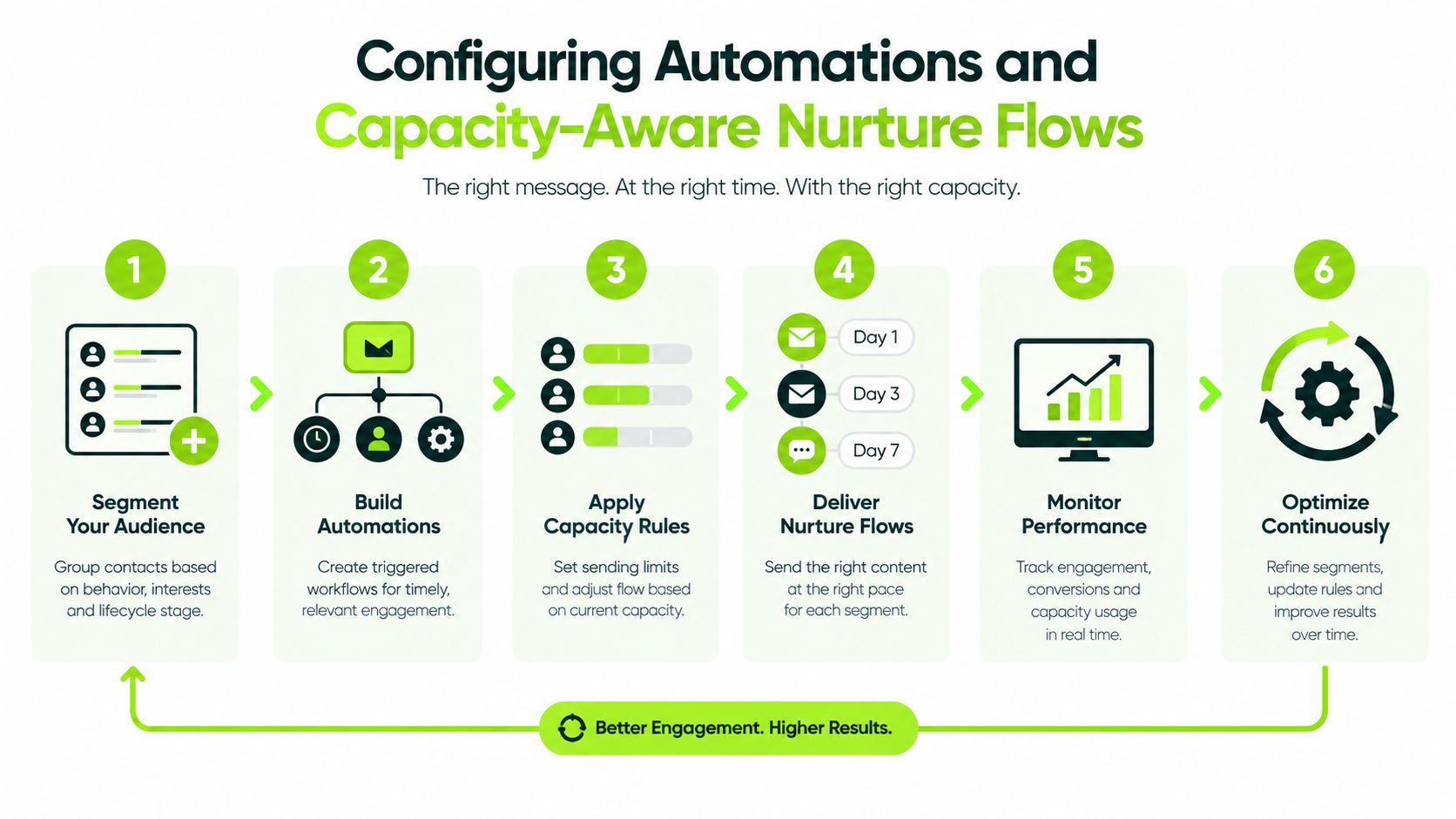
Automation should remove repetitive administration without making promises the club can't keep. A message that confirms an enquiry immediately is helpful. A message that continues inviting people to apply for a full category after the waiting list has become unmanageable damages trust.
Build workflows around the enquiry type and the club's current capacity.
Start with routing rules
Create separate entry points for membership, visitor golf, societies, events, coaching and indoor golf. Each form should collect enough information to route the enquiry, but not so much that a prospect abandons it.
A membership enquiry might capture preferred category, playing frequency, intended start date and whether the prospect has questions about the joining fee. A society enquiry needs a preferred date, group size, catering interest and organiser contact details. The system should assign ownership based on the type of enquiry, not send every task to a shared inbox.
A practical membership workflow looks like this:
- Acknowledge immediately. Confirm receipt and set expectations.
- Create ownership. Assign the record to the membership secretary, commercial manager or another named colleague.
- Classify capacity. Mark the requested category as available, limited or paused.
- Select the nurture path. Send relevant information about visits, fees, alternatives or the waiting list.
- Create a human task. Give staff a clear deadline and a suggested next action.
- Review the signal. Escalate high-intent prospects and pause campaigns when category conditions change.
The UK-focused benchmark from GolfRep's membership enquiry response guidance reports an average response time of 47 hours and 32 minutes, compared with a practical target of under five minutes for the first response. The recommended operating method is to acknowledge instantly, create a task and keep the lead warm until a member of staff takes over.
Let capacity change the message
Capacity rules shouldn't only stop communications. They should change the next best action.
If a category is full, the system can explain the waiting-list process, offer a suitable alternative or invite the prospect to a visitor round and facility tour. If weekday play is underused, nurture can focus on the benefits of a five-day or flexible category without implying that the club is discounting. If a membership trial has a defined end date, the workflow can prompt a review before the prospect goes cold.
Apply the same logic beyond membership. Society enquiries need reminders about dates, deposits and catering decisions. Visitor enquiries can receive relevant information about packages and repeat visits. Indoor facilities may need separate flows for coaching, leagues, bay bookings and off-peak sessions.
The GolfRep guide to golf club automation provides useful context for designing these workflows. Keep the number of automated messages under control, write in the club's own voice and give staff a way to pause or override any sequence.
Capacity rule: Never automate demand generation without connecting it to the availability that staff must fulfil.
Training Staff and Establishing Pipeline Ownership
A CRM becomes a digital graveyard when nobody knows who owns the next action. The problem usually isn't a lack of software knowledge. It's an unclear operating agreement between the membership secretary, general manager, PGA team, reception and commercial staff.
Ownership must be visible at record level. Every active prospect needs a named person, a current stage, a next task and a reason if progress has stopped. “Membership team” is not an owner. A named colleague is.
Train around club situations
Don't begin with a tour of every menu. Train staff using the situations they handle during a normal week:
- A new membership enquiry arrives outside office hours.
- A prospect asks about joining fees and wants to visit.
- A category reaches its capacity limit.
- A visitor asks about becoming a member.
- A society organiser needs a revised quote.
- A new member hasn't attended a competition or club event.
- A committee member asks for a pipeline update.
For each scenario, demonstrate the correct record, task, note, stage and communication. Then let the colleague complete it without assistance. The objective is consistent action, not the ability to describe the software.
Set standards without micromanaging
Response standards should define what happens, who acts and what counts as progress. They shouldn't require the general manager to inspect every sentence written by a colleague.
A daily operating rhythm can be simple:
- Review new and overdue tasks at the start of the working day.
- Contact prospects with a clear next step, such as a visit, call or application.
- Update the record immediately after the conversation.
- Escalate capacity, pricing or complaint issues that need management input.
- Review stalled opportunities before the day ends.
The general manager should review exceptions, not chase every record. Useful exceptions include overdue tasks, enquiries with no owner, prospects stuck at the same stage, applications waiting for payment and categories approaching capacity.
**Good accountability asks, “What is the next action and who owns it?” It doesn't ask staff to fill in fields that nobody uses.
Committee reporting also improves when the team agrees on stage definitions. “New”, “qualified”, “visit booked”, “application sent”, “joined”, “waiting list” and “lost” should mean the same thing to everyone. Without that shared language, pipeline totals create confidence without creating understanding.
Staff adoption improves when the CRM saves time at the point of work. If a PGA professional can see the prospect's history before a visit, or the membership secretary can avoid retyping payment and contact information, the system earns its place in the club's routine.
Measuring Commercial KPIs and Iterating the Strategy
A committee doesn't need a dashboard full of activity counts. It needs evidence that the club is managing demand, capacity and member value responsibly.
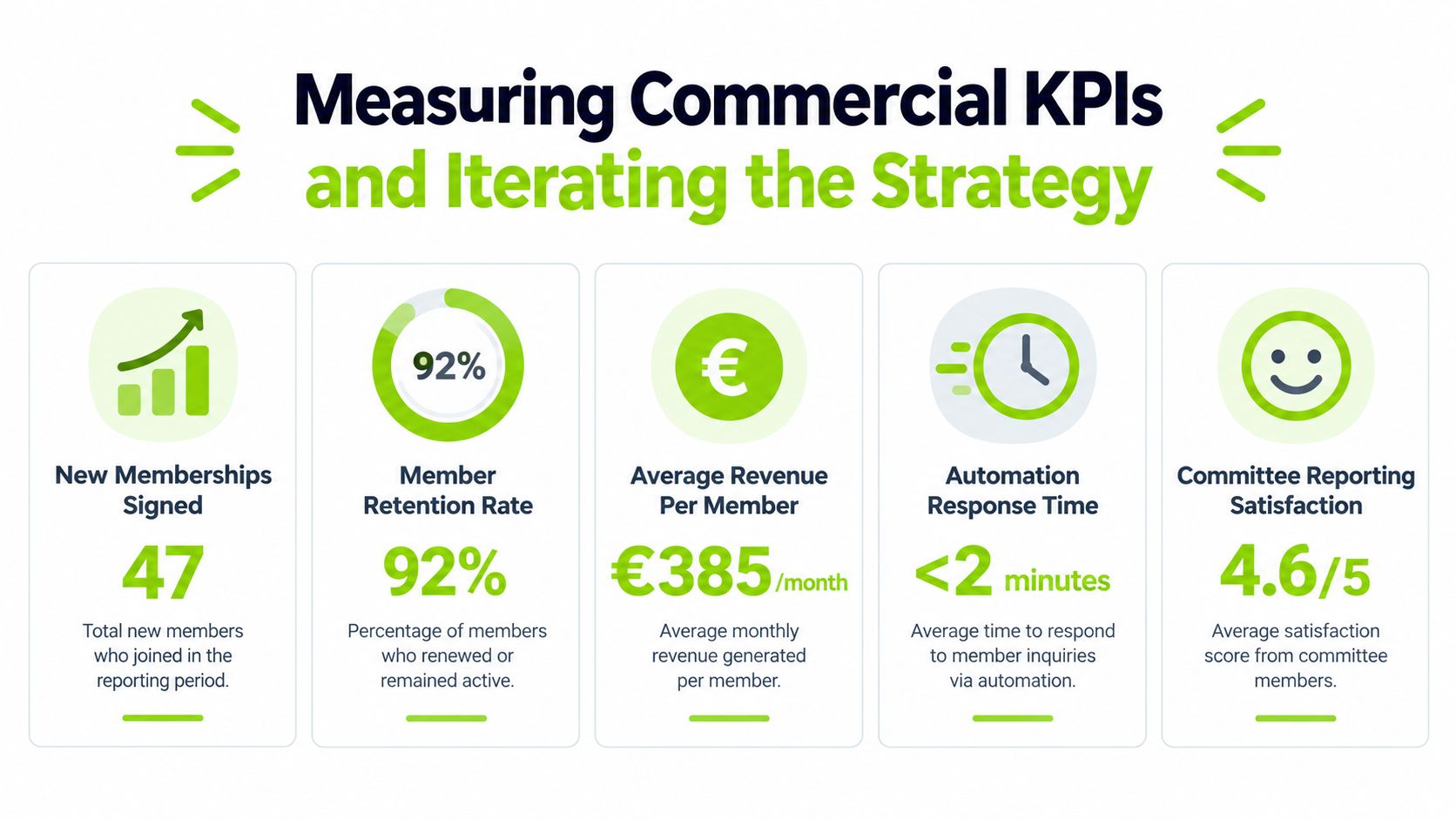
Start with a small reporting set. Track enquiries by source and category, response time, stage conversion, visits booked, applications, joining fees discussed, membership starts, revenue per member and retention risk. Add society, visitor, event or indoor-golf measures where those areas materially contribute to the club's income.
Read the pipeline through capacity
A rise in enquiries is not automatically positive. If every enquiry targets a category that is already full, the club may be increasing administrative work without creating available revenue. Report demand against capacity by category, then show where the team has redirected prospects.
A practical monthly report should answer:
- Demand: Which categories and products attracted enquiries?
- Speed: How quickly did staff acknowledge and progress them?
- Quality: Which enquiries became visits, applications or bookings?
- Capacity: Where did demand exceed availability, and where was space underused?
- Value: What revenue did new and existing customers contribute?
- Risk: Which members show signs of disengagement before renewal?
For retention, UK golf and country clubs are reported to retain 92% to 94% of members annually, implying approximately 6% to 8% annual churn, according to GolfRep's retention methodology for golf and country clubs. The CRM should help the club identify those at-risk members early by combining join date, category, last visit, competition entry, event attendance and open tasks.
Turn signals into action
A member who hasn't visited recently may need a personal welcome, a competition invitation or a conversation about whether their category still suits them. A prospect who has opened several messages but hasn't booked a visit may need a direct call rather than another generic email. A category with strong demand but poor application completion may have a fee, process or information problem.
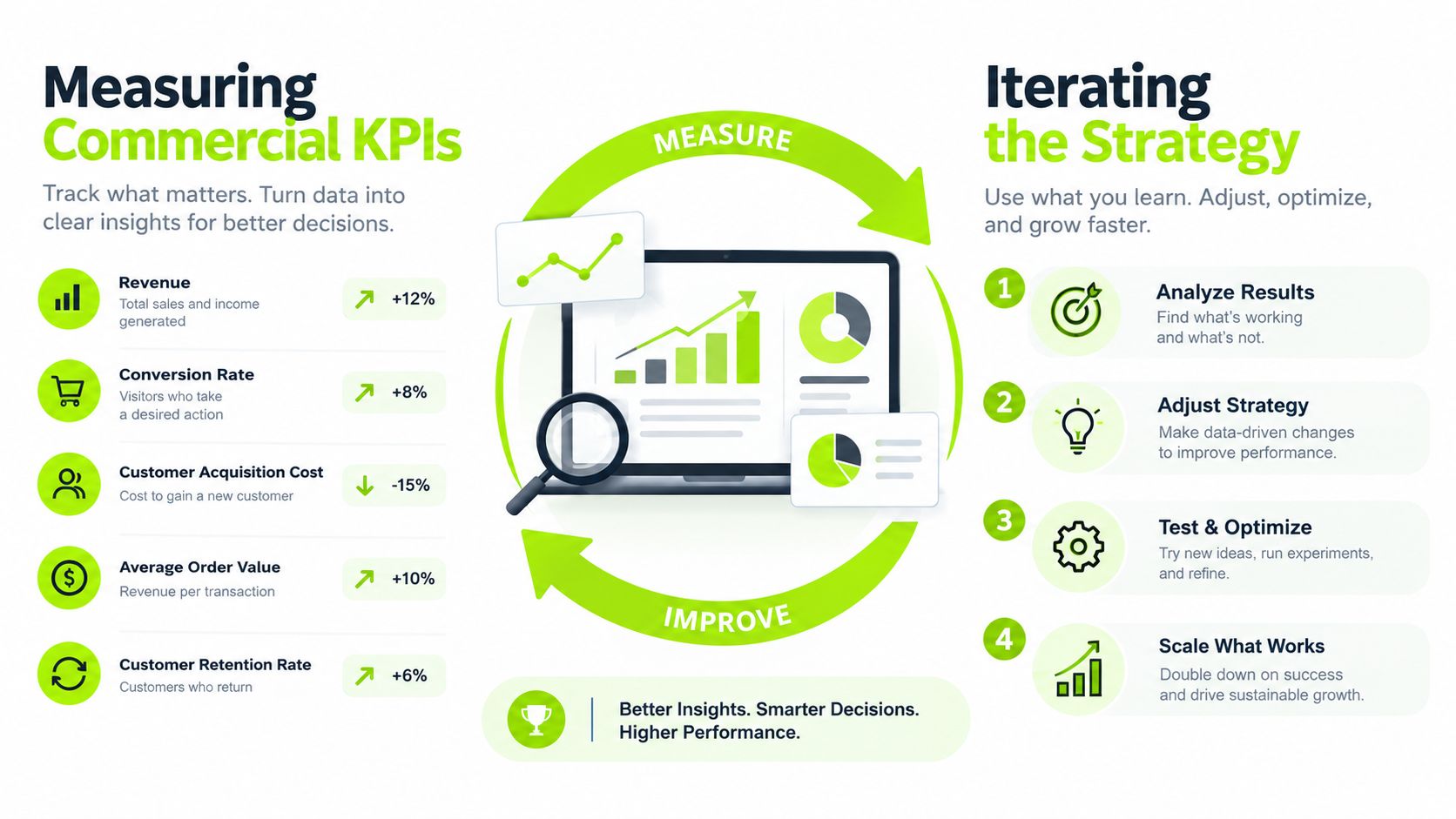
Review performance in a fixed cycle. First, identify the commercial constraint. Next, change one workflow, message, ownership rule or capacity decision. Then measure the result over an appropriate period and decide whether to keep, adjust or remove the change.
Don't judge the CRM by how many records it contains. Judge it by whether the general manager can see where demand sits, whether staff know what to do next and whether the club can protect capacity while improving revenue and retention. That is the difference between storing customer information and managing a commercial operation.
GolfRep helps golf clubs build connected acquisition, sales, CRM, follow-up and retention systems around their actual capacity and membership model. If you want to identify the biggest commercial constraint in your pipeline and create a practical improvement plan, visit GolfRep.
Ready to tap into our proven growth system?