Booking a Visit Online for Golf Clubs Step-by-Step Guide

A busy Saturday starts before the first golfer arrives. The secretary is answering calls, checking visitor requests, moving tee times, replying to membership enquiries and trying to confirm whether the booking form on the website has created a valid reservation. A prospective visitor may have shown strong intent, but if the club takes too long to respond, hides the next step or forces the prospect to phone about a rule the system can't handle, the visit disappears.
Golf clubs don't usually struggle to create interest. They struggle to handle, respond to and convert enquiries consistently. Booking a visit online only produces commercial value when the whole journey works, from the first click through to attendance, follow-up and a possible membership conversation.
Understanding the Key Concepts
The common mistake is treating online booking as a widget rather than an operating process. A club adds a booking button, publishes a few tee times and assumes the work is complete. In practice, a visitor may still need to know whether they can bring guests, book outside the standard window, arrange a larger group or understand what happens after submitting an enquiry.
That creates a familiar scene. A secretary sees an enquiry arrive, intends to reply after dealing with the morning rush, then loses sight of it among emails and phone messages. The prospect receives no clear confirmation, doesn't know whether the request is being reviewed and eventually contacts another club. The booking system was available, but the pipeline wasn't managed.
Availability isn't the same as adoption
England provides a useful warning. Citizens Advice reported that 83% of GP practices offered online appointment booking in June 2014, rising to 89% in the second survey wave, and by March 2015 practices were required to offer online appointment bookings, repeat prescriptions and access to summary record information, as recorded in the NHS e-referral service reports and statistics. Yet only 6% of patients normally booked appointments online, while 87% used the phone and 28% booked in person.
The lesson applies directly to golf. A club can offer digital access and still fail to change customer behaviour. The booking route must be visible, simple and supported by timely follow-up.
GolfRep's operating principle: every click is the beginning of a tracked pipeline, not the end of a marketing activity.
GolfRep approaches club growth by connecting attraction with structured follow-up and CRM visibility. The club should know where an enquiry came from, what the visitor wants, whether the request meets the booking rules, who owns the next action and whether the visit happened. Manual processes make that difficult because information sits across inboxes, spreadsheets and individual staff memories.
A reliable system gives the team a shared record, clear ownership and automated prompts. That lets staff spend time on valuable conversations rather than repeatedly checking whether someone has replied.
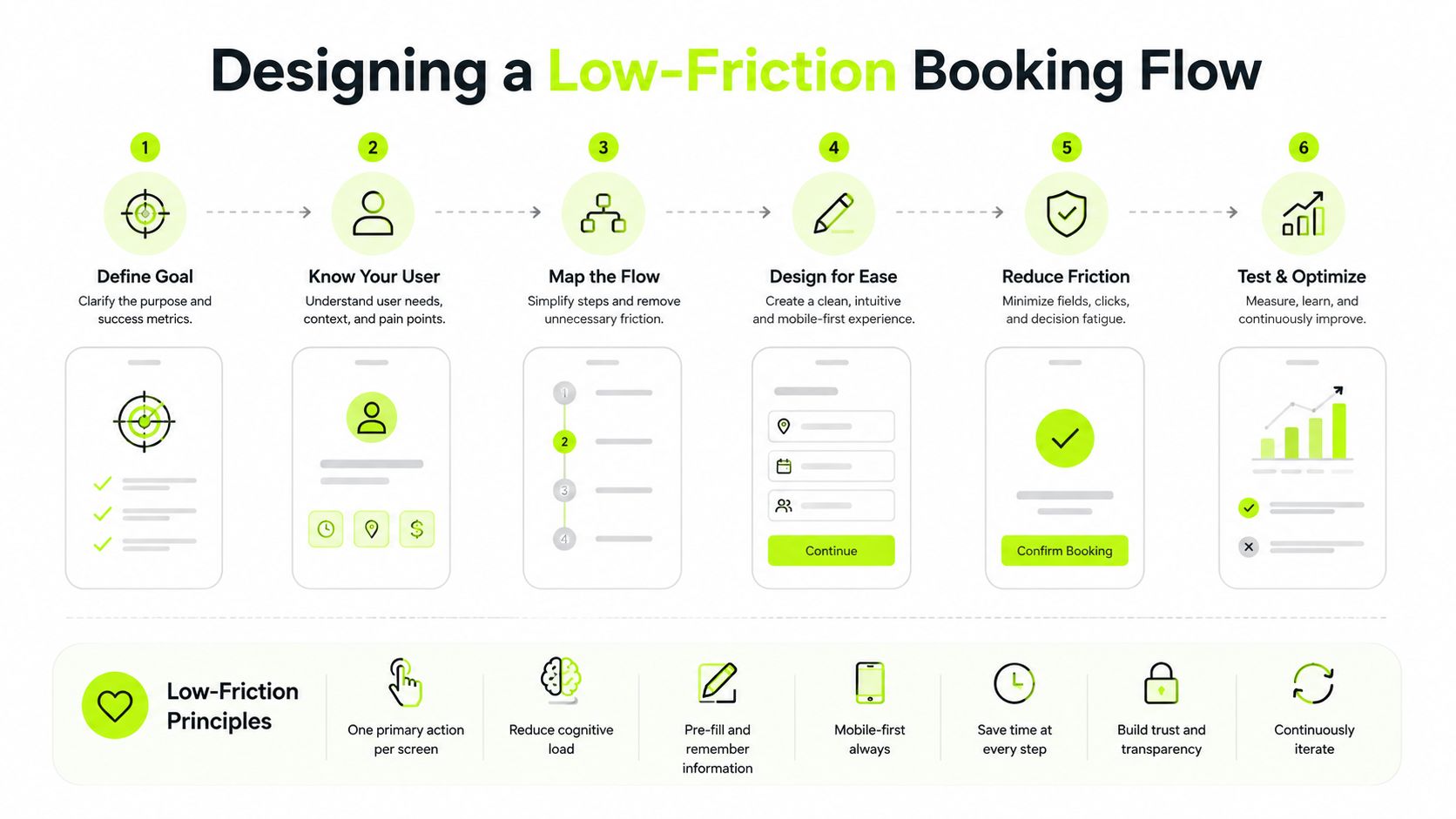
Designing a Low-Friction Booking Flow
Booking friction usually appears in small details. The visitor can't find the booking link, the mobile form asks for unnecessary information, the price appears late or the system rejects a request without explaining what to do next. Each problem seems minor to the club, but together they make the prospect work too hard.
Start by mapping the complete path:
- Landing page: State who the visit is for, what the visitor can book and what information they'll need.
- Booking entry point: Place a clear call to action near the first relevant explanation, and repeat it where the visitor has enough information to decide.
- Availability: Show suitable dates and times without making the visitor move through several unrelated pages.
- Qualification: Ask only questions that affect the booking or the follow-up.
- Confirmation: Tell the visitor what has been booked, what happens next and how to change it.
- Staff handover: Send exceptions to the right person with the full context attached.
The UK GP booking evidence shows why this matters. A Southampton analysis found that 45.11% of patients who attempted to make an appointment were aware their practice offered online booking, but only 15.61% used it, while the 2022 GP Patient Survey recorded online booking use at 21%, with 16% booking online in that survey wave. Patients who described their practice website as “very easy to use” were much more likely to be aware of and use online booking, with an odds ratio of 6.34 compared with those who found it “not easy at all”, according to the University of Southampton analysis.
Build rules into the journey
Don't send every unusual request back to the telephone. UK clubs commonly restrict visitor bookings to narrow windows. Royal Blackheath allows visitors to book online only up to four weeks ahead, Moor Park opens online bookings six days in advance at 4pm, and Thetford requires contact for bookings more than seven days ahead while excluding some booking types from online booking, as illustrated by examples of booking rules and exceptions in UK clubs.
Those rules need a clear digital route. If a visitor requests an unavailable date, the system should explain the restriction, collect the preferred date and group details, and create a task for staff. The prospect shouldn't have to start again by email.
Keep pricing, inclusions, cancellation terms and the next step visible before commitment. For a useful checklist on page structure and calls to action, refer to these conversion-focused landing page tips. Mobile visitors deserve the same clarity as desktop users, with short forms, readable buttons and no unnecessary account creation.
Choosing Tools and CRM for Visit Booking
Digital booking is now normal club infrastructure, not an optional extra. An online tee booking system was used by 73% of members' golf clubs in the UK in 2024/25, up from 64% in 2023, according to the Hillier Hopkins Golf Clubs Report.
The important question is what happens around the booking system. A tee-sheet platform may manage availability well but provide limited visibility of the original enquiry. A CRM may track conversations effectively but fail to understand visitor restrictions. The right setup connects both.
| Tool | Integration | Key Feature | Price Tier |
|---|---|---|---|
| Golf booking platform | Tee sheet, website and payment tools | Real-time availability and visitor booking rules | Platform-dependent |
| General CRM | Website forms, email and SMS | Lead ownership, source tagging and pipeline stages | Subscription-dependent |
| Golf-specific CRM | Booking, membership and communications | Club records combined with follow-up workflows | Subscription-dependent |
| Connected booking and CRM stack | Booking platform, CRM, email and SMS | Rules-based routing with end-to-end visibility | Bespoke or subscription-dependent |
Prioritise operational control
A useful system should answer practical questions quickly:
- Who owns the enquiry? Every request needs a named person or queue.
- What was requested? Capture date preferences, group size, visitor type and purpose.
- Can the system apply the rule? Advance windows, visitor restrictions and exclusions should trigger clear alternatives.
- What happens after submission? Confirmation, reminders and staff tasks must follow automatically.
- Where did the lead come from? Source tagging lets managers compare channels without relying on memory.
Golf clubs assessing CRM options can also use this guide to CRM tools for travel businesses to compare pipeline, communication and automation requirements in a booking-led environment. For a golf-specific view, review GolfRep's comparison of golf club CRM systems.
GolfRep is one possible operating partner for clubs that need lead generation connected with AI-driven qualification, CRM records and follow-up workflows. The choice matters less than the design principle. Don't buy software that merely stores bookings. Choose a system that makes every enquiry visible and gives staff a clear action.
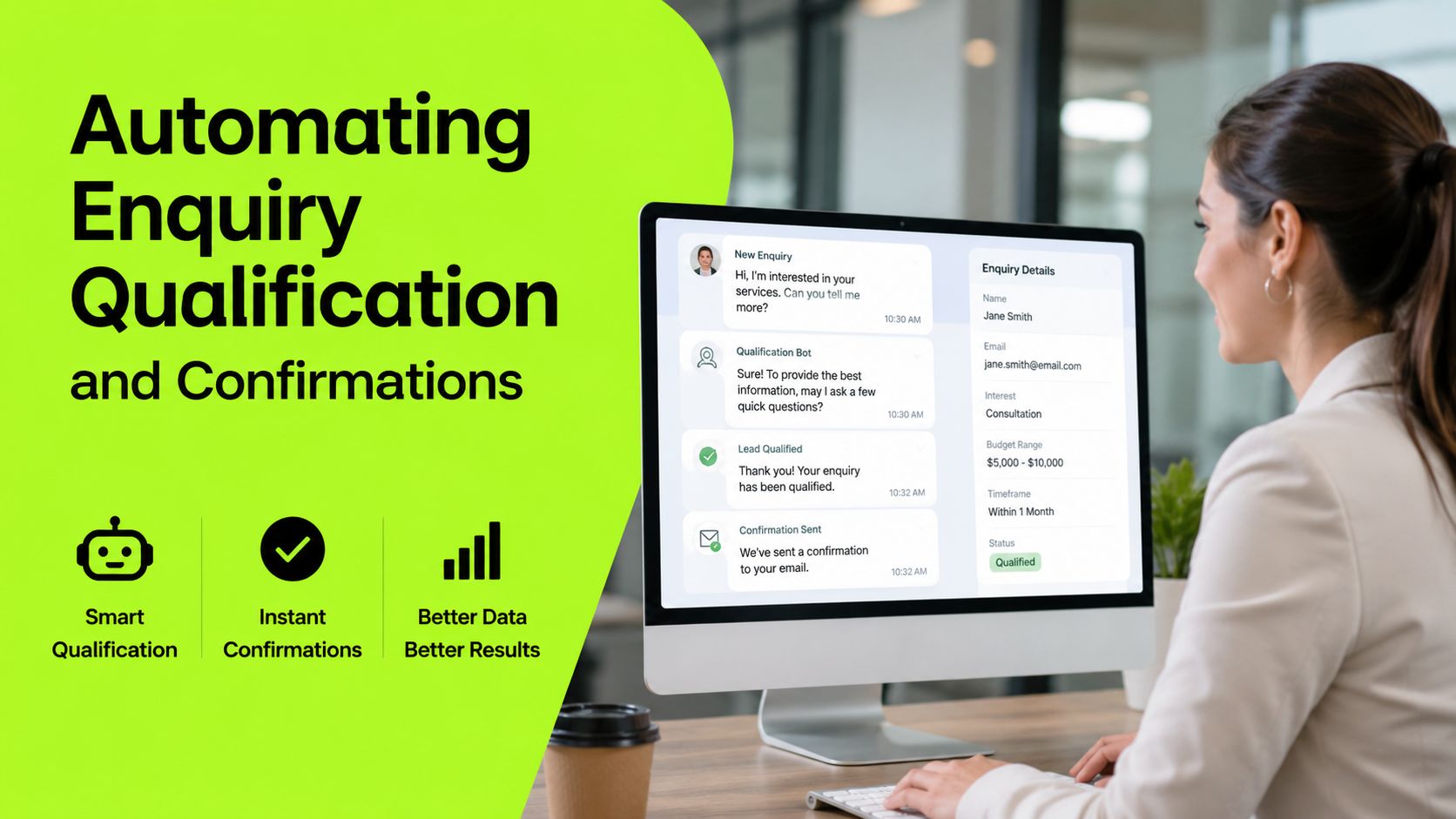
Automating Enquiry Qualification and Confirmations
Speed matters because interest cools quickly. A UK lead-response study found that nearly 10% of firms replied within 5 minutes and over 46% replied within an hour, with guidance that responding within the first hour is critical for strong conversion, as reported in the UK lead-response study.
Automation should handle the first response, not pretend to replace the club team. Set it up in a controlled sequence.
Create the first response
Send an immediate email or SMS confirming receipt. It should include the visitor's preferred date, the club's expected next step and a direct route to complete a standard booking if availability is already known.
Email example
Subject: Your visit enquiry for [Club Name]
Thanks for contacting [Club Name]. We've received your request for [preferred date]. You can review available visitor times using the booking link below. If your request falls outside the standard booking window, our team will review it and contact you with the closest suitable option.
SMS example
Thanks for contacting [Club Name]. Your visit enquiry has been received. Check available times here: [booking link]. We'll review any special requirements and confirm the next step.
Ask only useful questions
Qualification isn't an interrogation. Ask what the team needs to decide whether the request can be booked:
- Preferred date and alternative date
- Number of golfers
- Visitor or member status
- Interest in a casual round, hosted visit or membership discussion
- Any requirement outside standard tee-time rules
Use the answers to route the lead. A standard visitor request can go directly to availability. A premium group enquiry can create a priority task. A membership-oriented visit can trigger the relevant nurture path while staff prepare a personal response.
A workflow automation guide from LLMrefs can help teams think through triggers, conditions, ownership and escalation without building a confusing chain of manual tasks. The workflow should remain understandable to the secretary who has to manage it on a busy day.
Confirm and escalate
Once a time is selected, send a clear confirmation with date, time, player details, price, cancellation terms and contact route. If the visitor hasn't completed the booking, issue a helpful reminder rather than a generic chase.
For a deeper golf-specific application of automated qualification, see GolfRep's guide to AI lead qualification for golf clubs. The team should receive an alert when a high-intent prospect asks for an exception, abandons after providing details or requests a membership conversation.
Tracking Enquiries and Conversion Metrics
A booking report tells you what was scheduled. A conversion dashboard tells you why the club gained or lost the opportunity.
Build stages that reflect the actual journey: new enquiry, contacted, qualified, booking link sent, booking confirmed, attended, rescheduled, cancelled and membership conversation. Keep the stages simple enough for staff to use consistently. If a team member can't update a record in seconds, the data will decay.
Measure movement, not activity
Track response time from form submission to the first meaningful reply. Separate automated acknowledgement from a human response, because an instant receipt message doesn't prove that the club has addressed the visitor's request.
Monitor:
- Source: Website, paid campaign, referral, phone or other channel.
- Response time: Time to automated acknowledgement and time to staff contact.
- Stage conversion: Movement from enquiry to confirmed booking, then from booking to attendance.
- Exception volume: Requests that fall outside standard tee-time rules.
- Drop-off point: The exact stage where visitors stop progressing.
- Revenue path: Casual green fee, repeat visit or membership discussion.
UK abandonment benchmarks show that 25% of users dropped out over pricing transparency and 25% over ease-of-use issues, according to the UK travel and e-commerce abandonment data pack. That gives clubs two immediate dashboard questions. Are visitors seeing the complete cost early enough, and are they abandoning on a page or form that staff can simplify?
Use the data in weekly decisions
A committee doesn't need a complicated analytics presentation. It needs a reliable view of what happened and what will change. Review the dashboard weekly, identify the largest leakage point and assign one corrective action.
If response time is slow, change ownership or escalation. If visitors abandon before payment, review pricing and form clarity. If bookings are confirmed but attendance is weak, improve reminders and rescheduling. If one source produces enquiries but few visits, stop judging it by lead volume alone.
Conversion tracking also protects advertising decisions. The club can compare channels by attended visits and membership conversations rather than clicks. That makes reporting more credible and prevents budget from flowing towards activity that looks busy but produces little commercial progress.
Optimising Conversion with Follow-Up Best Practices
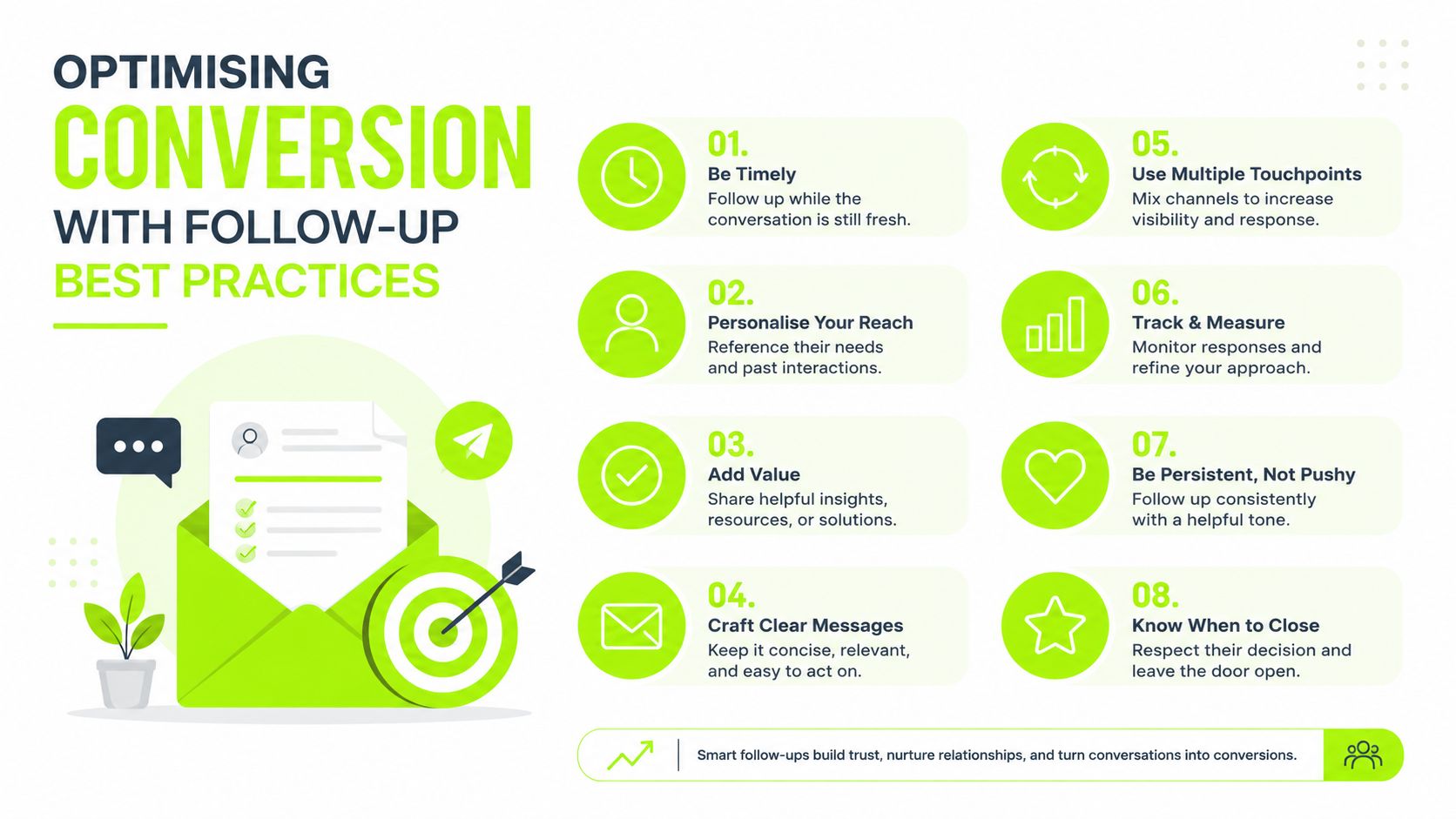
A confirmed booking isn't the finish line. It is the point where the club has permission to communicate with a known visitor and protect the value of the opportunity.
The commercial case is clear. 65% of casual green fee income at the average UK club came from online bookings, with the figure reported by National Club Golfer's coverage of UK golf green fee income. Clubs that treat the booking as a one-off transaction leave valuable attendance, repeat play and membership opportunities unmanaged.
Protect attendance
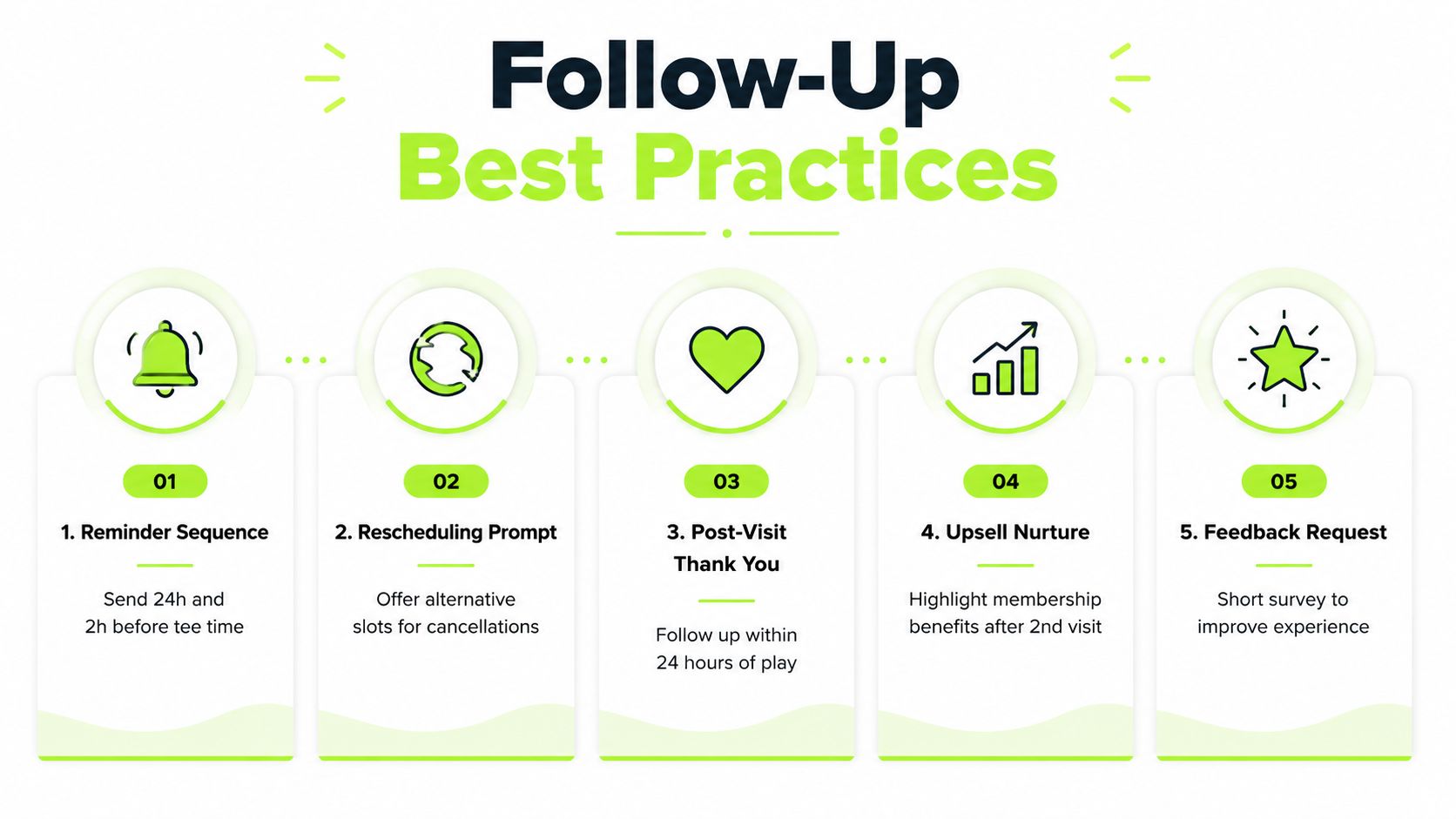
Send a confirmation immediately, then schedule practical reminders before the tee time. The reminder should include the date, arrival information, booking details and a simple route to request a change. Don't make a visitor phone the club just to reschedule a valid booking.
A cancellation prompt can recover a slot. Offer alternative times where availability permits, and preserve the original enquiry record so staff can see the full history. This is more useful than treating a cancellation as a dead lead.
Continue the conversation
Follow up after the visit with a personal thank-you and a relevant next step. A visitor who played well and asked about membership shouldn't receive the same message as someone who booked a casual round with no further questions.
Use booking data to tailor the sequence:
- Casual visitor: Thank them and invite a future visit.
- Membership-curious visitor: Share the relevant membership route and offer a conversation.
- Group organiser: Ask whether they want help arranging another date.
- Cancelled visitor: Present suitable alternatives rather than closing the record.
The NHS provides a strong reminder that post-booking management affects attendance. NHS data reported 16 million missed GP appointments in 2025, with no-shows at 1 in 23 appointments, or 4.3%, alongside an effort to move patients towards app-based booking and reminders, as covered by NHS guidance on reducing missed appointments. Golf clubs shouldn't copy healthcare processes blindly, but the operational point stands. Booking systems should support reminders, changes and re-engagement.
GolfRep's golf club follow-up system guidance sets out the connected approach required to turn a scheduled visit into a managed commercial opportunity.
Moving from Booking to Membership Growth
Booking a visit online works when the club connects four parts: clear availability, rules-aware forms, rapid response and deliberate follow-up. Review the pipeline weekly, test page messaging and keep refining automations around the questions visitors ask.
The objective isn't more clicks. It's more attended visits, better staff visibility and a dependable route from first enquiry to membership conversation. That requires systems that support the team rather than another isolated booking button.
GolfRep helps UK golf clubs connect lead generation with online visit booking, CRM visibility, automated qualification and structured follow-up. Visit GolfRep to see how a predictable pipeline can turn more enquiries into attended visits and membership opportunities.
Ready to tap into our proven growth system?