Golf Club Staff Workflow Automation: What to Automate

83.5% of respondents said recruitment was difficult in BIGGA's survey of more than 1,300 UK greenkeeping professionals, reported by Pitchcare. That changes the question a club manager should ask about automation. It's not how many tasks software can perform, but which tasks your people should stop having to remember.
At GolfRep, our recommendation is straightforward: sort out the shared record before adding automated messages. Golf club staff workflow automation should give people reliable information and clear ownership, then remove repetitive administration. Adding another tool to disconnected records can leave staff with more checking, copying and correcting than before.
Why Staff Time Is the Real Constraint
BIGGA's 2024 workforce salary survey, conducted with the GCMA and national golf bodies, reported an average of 7.6 greenkeepers per UK golf course, with 69% of respondents saying they were short-staffed and 72% saying their facility didn't have enough greenkeepers. Those are course-maintenance findings, not office staffing figures, but they establish the operational context: managers can't assume spare capacity is available elsewhere in the club.

The Hillier Hopkins 2024/25 Golf Clubs Report found total staffing ranged from 6 to 106 employees, averaging 26 at members' clubs, while 73% of members' clubs used online tee booking. Clubs already use digital systems, but their staffing structures and available cover differ considerably.
A committee-led club might have a lone administrator covering the desk during lunch. A resort might divide responsibility between reception, membership, golf operations and finance. Neither arrangement guarantees that the next action happens when somebody changes shift or takes leave.
Automation should remove remembered admin, not the conversation.
Uneven cover creates unfinished work
Say a society organiser confirms revised catering requirements while the office lead is showing prospective members around. Reception records the call, but the events lead still needs to amend the booking, tell the kitchen and confirm the change. If each hand-off relies on somebody remembering, the club hasn't built a process. It has borrowed attention from busy people.
That's the management issue behind automation. Our guidance on country club management puts operational responsibility alongside the wider commercial job. Software shouldn't become a separate project that nobody owns once the supplier leaves.
For managers who want concrete examples before discussing systems, AI Tool Seekers' automation walkthroughs provide a useful starting point for considering repeatable tasks. Apply a stricter club-level test to each idea: does it remove work, or move work to another screen?
Measure the capacity you return
The decision is between rules-based administration and work that requires judgement. Staff shouldn't have to reconstruct booking status from messages, but they should still resolve a member's concern personally.
Course teams and office teams aren't interchangeable. They do, however, compete for management attention and a constrained staffing budget. Judge automation by the minutes returned to member service, operational delivery and revenue work, not by the number of messages generated.
Which Club Tasks to Automate First
What to automate and what to keep with staff
| Workflow | Automate | Keep with a person | Owner |
|---|---|---|---|
| New enquiry | Acknowledgement, missing details, booking option | Fit, course questions, a specific concern | Membership or office lead |
| Membership follow-up | Reminder and a task if there is no reply | The joining conversation | Named owner |
| Standard communications | Visit, competition and renewal prompts | Complaints, fee exceptions, committee decisions | Manager or comms lead |
| Multi-site hand-off | Shared record, status and due action | Local relationship and site offer | Site lead with central view |
| Society or event enquiry | Information chase and deposit reminder | Package design and organiser relationship | Events lead |
| New-member onboarding | Checklist tasks and welcome sequence | First-week welcome in person | Membership secretary |
Start with predictable administration
For a new enquiry, acknowledge receipt, request essential missing details and offer an appropriate booking option. Don't make a golfer complete a lengthy questionnaire before they can speak to somebody. The membership or office lead should receive enough context to answer questions about playing habits, course suitability or a concern about joining.
For membership follow-up, schedule the reminder and create a task when no reply arrives. Assign an actual person, not a department label. That owner should know whether the golfer needs a conversation, more information or time, rather than allowing the system to continue chasing indefinitely.
The mechanics are similar to how small sales teams automate tasks, explained by Stamina. The useful principle for clubs is to separate administrative progression from the conversation that helps someone decide. A reminder can be standardised; joining a club remains personal.
Standard communications should run from a confirmed status. Send a visit reminder to someone with a visit booked, a competition notice to the appropriate audience and a renewal prompt against the correct membership record. Keep complaints, fee exceptions and committee decisions out of routine sequences, with the manager or communications lead responsible for intervention.
Preserve local knowledge and relationships
For a multi-site hand-off, share the contact record, current status and next action. The receiving site lead should accept ownership rather than assuming central office is still dealing with it. Central visibility shouldn't mean centrally dictated offers that ignore local playing capacity or membership categories.
A society or event enquiry needs its own treatment. Automate requests for the date, group size, catering requirements and outstanding deposit, but only send a deposit reminder against agreed booking terms. The events lead should shape the package and maintain the organiser relationship, particularly where golf, catering and room hire need coordinating.
For new-member onboarding, automate checklist tasks and the welcome sequence. Prompt the membership secretary to arrange introductions, confirm access details and check that relevant teams have completed their actions. Don't mistake an email containing clubhouse information for a welcome into club life.
Keep the priorities in this order unless your current workload clearly points elsewhere. Each automation should remove a repeatable step without taking authority away from the person accountable for the outcome.
Decision rule: If the step is the same for every case and the wording doesn't change the offer, automate it. If it changes price, playing rights or trust, assign it.
One Record Before More Messages
60% of clubs identified integration with existing systems as one of their biggest challenges, 19% said their current solution wasn't being improved, and 68% were considering a multiple-supplier approach, according to survey findings reported by The Golf Business. The commercial lesson isn't that every club must buy a single platform. It's that every workflow needs an agreed source of truth.
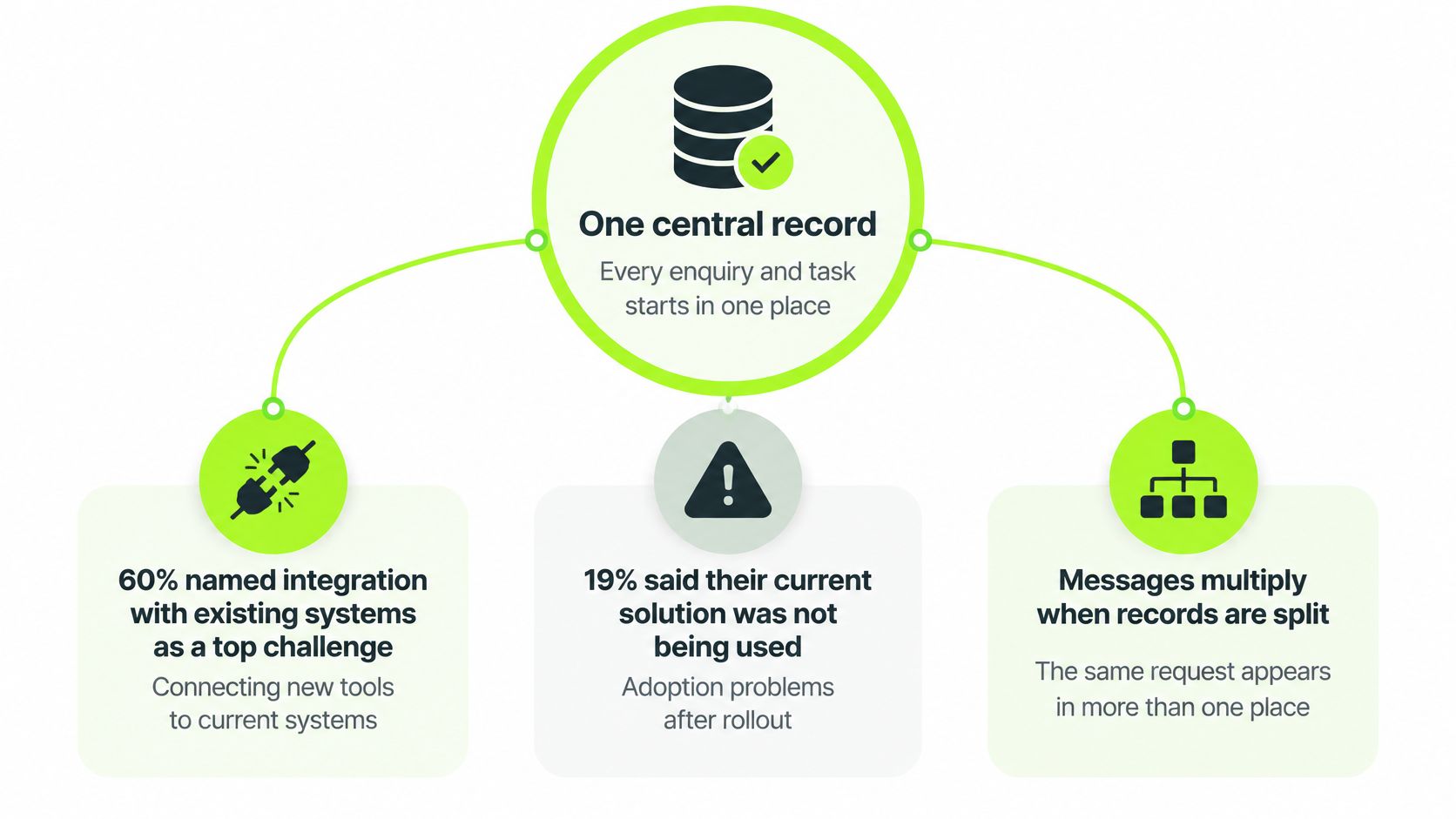
For accuracy, the survey's finding about the current solution concerns lack of improvement, not lack of use. Those are different management problems and shouldn't be treated as interchangeable.
A chatbot can collect information successfully while making the office's job harder. If its contact record doesn't match the person already in the tee sheet, membership ledger and spreadsheet, somebody must reconcile the records before trusting the reply.
Define the record and its authority
Build a minimum shared record around a unique prospect or member identity, communication permissions, original source and current status. Keep dated activity for enquiries, calls, visits, applications, payments and renewals. Staff should be able to see what happened without searching personal inboxes.
Specify which system creates each item and which system has authority to change it. For example, a website form can create a prospect, but the membership system should confirm membership category, while finance confirms payment status. A CRM should display those facts without becoming an unofficial second ledger.
Our guide to CRM for golf clubs develops this operational distinction. The purpose of the record is to show where someone sits, who owns the next action and what has stalled, not merely to store contact details.
Give somebody responsibility for accuracy
Committees should ask practical questions before approving another connection:
- Data ownership: Who corrects duplicate records and resolves conflicting information?
- Failed synchronisation: Who sees an update that hasn't reached the receiving system?
- Category changes: Which system confirms new playing rights, fees and communication eligibility?
- Human intervention: Where does the responsible person see the problem, and how do they mark it resolved?
Start with a light integration that synchronises only the fields needed for the workflow. A supplier's ability to transfer every available field is not a reason to transfer them all. Limit access according to staff responsibilities and document the connections so a change of committee doesn't erase operational knowledge.
Treat service communications and marketing as separate decisions. Existing-member service messages may be appropriate to fulfil club administration, but membership alone shouldn't become permission for every promotional sequence. Before marketing to prospects or lapsed members, confirm the applicable UK GDPR and PECR basis with your data-protection adviser, and make the permission check part of the sending rule.
How Work Should Move Through the Club
Use the following sequence as a staff operating procedure, not a technical specification hidden in a supplier's proposal. The office lead should be able to explain where work enters, who receives it and how completion becomes visible.
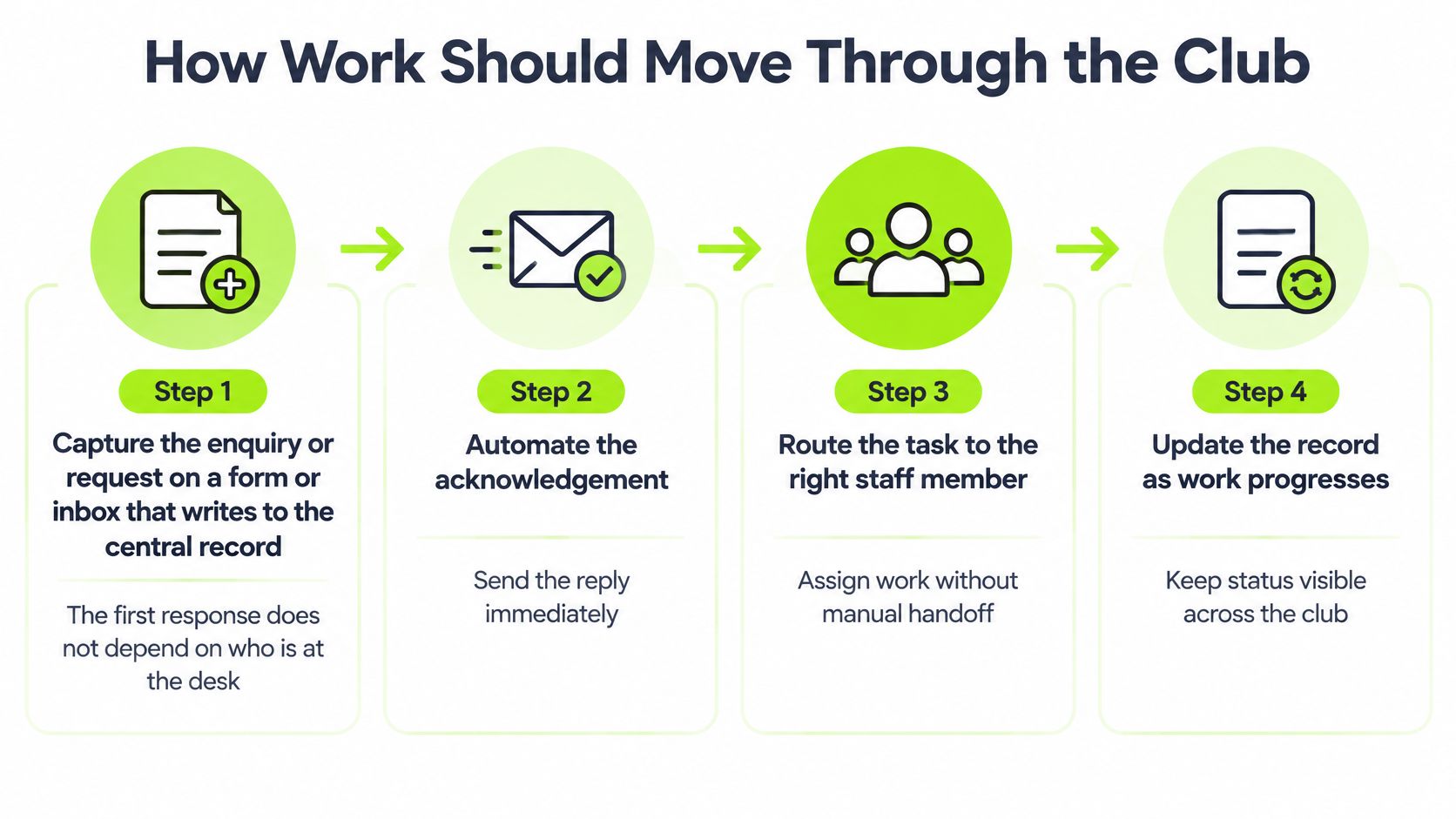
The operating sequence
Capture the request in the central record. Connect the relevant website form or shared inbox to the contact record. For telephone and face-to-face requests, give staff a short internal form rather than asking them to send themselves a reminder. This makes the request visible regardless of who is at the desk.
Classify it using a short set of useful fields: interest, site and missing information. Separate membership, visitor golf, societies, events and indoor golf. Classification should determine the next action, so don't collect information just because the software offers another field.
Send the standard acknowledgement. Confirm what the club has received and what happens next. Where the product allows it, include the relevant information or booking link. Don't offer appointment slots that nobody has agreed to cover.
Create a task for a named owner, with a due time that reflects actual staff availability. Give the task enough context to complete it without reopening the original correspondence. Record who provides cover during leave, weekends and shift changes.
Escalate incomplete, high-value or exception cases. A playing-rights question, committee approval, complaint or commercially significant group booking needs an appropriate person. Route it with the relevant history and a clear reason for escalation, rather than forwarding an unexplained message to the general manager.
Record the first response, visit booking, attendance and commercial outcome as work progresses. Distinguish an automatic acknowledgement from a substantive staff response. Close the request with a meaningful outcome, such as joined, booked, declined or not currently ready, rather than leaving it permanently open.
Make the process safe to operate
Test what happens when the same event arrives twice. It mustn't create duplicate tasks or send duplicate messages. A failed send should appear in a visible work queue, with a responsible person checking it and a limit on repeated attempts.
Staff also need a pause button and a manual override. When a golfer replies, the owner should be able to stop scheduled chasing and continue the conversation without fighting the system.
If your existing software lacks a usable task view, HubEngage, Inc.’s guide can help you compare project management tools for SMBs. Compare ownership, due dates, permissions and visibility before decorative dashboards. Don't introduce another task system unless staff can maintain the shared status without copying everything manually.
A small office might combine several responsibilities in the same person. A larger club can distribute them across teams, but the hand-off must remain explicit. Review overdue actions, failed sends and unfinished outcomes in the weekly commercial meeting, because this is an operations discipline, not a marketing add-on.
Workflows Across the Commercial Calendar
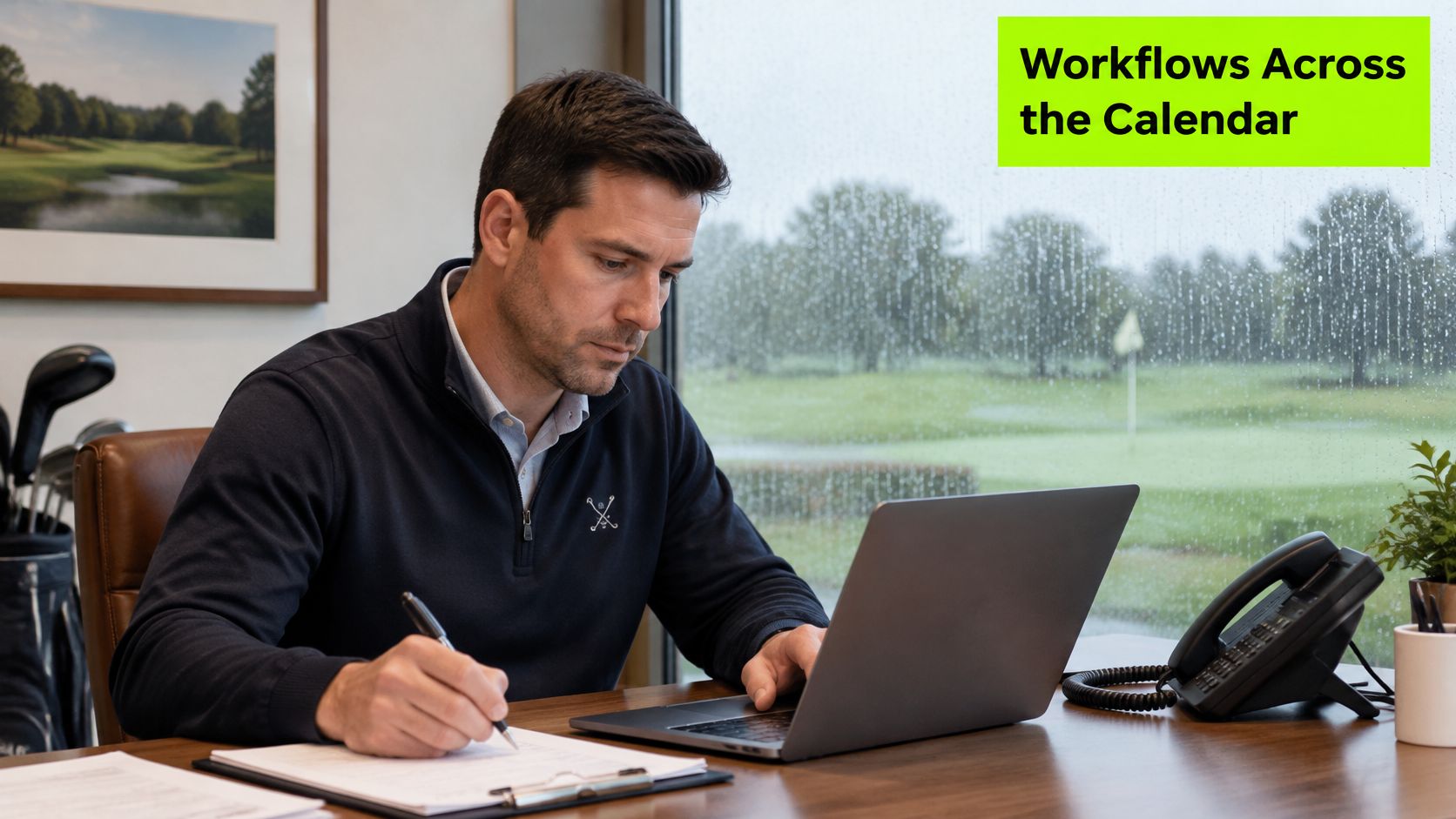
A wet Tuesday and a membership open day
On a wet Tuesday, the PGA professional is teaching while a visitor asks about bringing friends for a round. The form records the request and sends the appropriate information. A straightforward booking can progress without interrupting the lesson; a question about course suitability reaches the professional with the golfer's details attached.
After a membership open day, an attendee receives a reminder relevant to the experience they've just had. The secretary's task is to discuss whether the membership fits their playing pattern, not to reproduce joining information. Someone who enjoyed the course but can't use the available playing rights needs a considered answer, not a longer sequence.
A renewal period and a shared commercial diary
During renewal, communications should follow the current membership position. A paid member shouldn't receive an outstanding-payment prompt because a spreadsheet hasn't caught up. Where someone raises a concern or asks for a concession, the office pauses the routine messages and assigns the conversation to the authorised manager.
For a multi-site operator, the central team needs to distinguish an unassigned enquiry from a site-owned conversation already progressing. The local manager needs the same visibility without losing control of the offer. Society and function dates also need coordination with the clubhouse diary, particularly where golf club event revenue depends on catering and room availability as well as the tee sheet.
Shared visibility should support local ownership, not replace it.
GolfRep implemented a complete growth system across five Macdonald golf sites, integrating CRM, AI-driven follow-ups and automated nurture sequences. Within eight weeks, 118 new trial members joined, and the group gained £23,500 in winter revenue. This is a GolfRep case study, not an industry benchmark, and it reflects the complete growth system rather than automation in isolation.
The operational lesson is a shared record with local responsibility. It isn't a justification for sending the same offer from every course.
Participation needs different routes into belonging
England Golf's 2025 participation picture, reported by Glenmuir, included 750,071 club members, up 2.66% year on year, junior membership up 34% to 61,483, and more than 72,800 iGolf subscribers; more than 24,000 iGolf users had progressed into club membership since launch, including 9,600 in 2025. Those audiences shouldn't all receive the same full-membership invitation.
Use behaviour to decide the next useful step. Repeat rounds might justify a hosted visit; lesson attendance might suggest a supported introduction to club golf. A family enquiry may need information about junior coaching and how parents can participate.
Don't assume women, juniors or occasional players all want the same product within their group either. Ask about playing confidence, availability and preferences, then route accordingly. The purpose is to help someone take an appropriate next step while protecting the club's pricing and staff time.
How to Choose and Prove the First Phase
Choose a bounded workflow with a clear owner before considering a platform replacement. Don't make useful automation conditional on replacing membership, tee-sheet and finance systems together. Start where the club can test an improvement without disrupting its core records.
The GCMA-linked software study, commissioned in July 2024 and reported in 2025, surveyed 134 UK and Ireland club managers, found 66% exploring alternative software, and reported typical replacement implementation of approximately seven to eight months. That supports phased delivery: changing systems involves operational commitment, not merely activating a feature.
Set the boundary before going live
Begin with enquiry capture, acknowledgement and reminders. Add nurture, onboarding and renewal only when ownership and data quality hold under normal working conditions. Include leave cover and busy periods in the test, rather than judging success from a quiet launch.
For a committee-led club, assign data ownership to a continuing role rather than a temporary project volunteer. Agree a stop condition, such as duplicate records increasing or staff being unable to reconcile membership status. Require a failure list somebody opens, limited retries and a human override.
As an illustrative calculation, not survey data, suppose the office handles 40 enquiries a month, each requiring 12 minutes of manual copying, chasing and sending information. Removing all that work would return 480 minutes, or 8 hours a month; actual savings will be lower if staff still perform part of it. Check recorded working time rather than presenting that theoretical maximum as a result.
Measures to record before and after automation
| Measure | What it shows | When to check |
|---|---|---|
| Time to first response | Whether cover or the desk is the delay | Before, then 30, 60 and 90 days |
| Enquiry to visit | Whether interest becomes a booked visit | Before, then 30, 60 and 90 days |
| Visit to application | Whether the visit does commercial work | Before, then 30, 60 and 90 days |
| No-show rate | Whether reminders and confirmation are working | Before, then 30, 60 and 90 days |
| Staff minutes per completed lead | Whether the workflow actually saved time | Before, then 30, 60 and 90 days |
Write a brief the office can use
Keep the launch brief to a page: current systems, the first automated steps, the named owner and the measures above. Define what counts as a response, visit, application and completed lead before comparing results. Otherwise, changing definitions can make an unchanged process look better.
Industry surveys explain why phased delivery is sensible. Your club's own before-and-after records establish whether this phase worked. Minutes saved matter more than messages sent, provided members and prospects still receive the attention they need.
Pick This Month's Workflow Constraint
Name the current constraint in a sentence. Perhaps there's no shared record, nobody owns the next action, standard replies require manual work, or occasional golfers receive an unsuitable membership journey. Choose the problem that creates the most avoidable work, then fix it before adding a tool.
GolfRep's advice is to automate the receipt acknowledgement, reminder and booking prompt, but keep the human exchange about membership fit, the course and specific concerns. That boundary protects the part of club life that people are choosing to join.
Diagnose operations separately from demand
If you have demand but the desk can't maintain the sequence, the constraint is operational. If the process works and the diary is empty, the constraint is demand. Automation won't invent interested golfers, just as advertising won't resolve unclear ownership.
- Map the current setup: Set aside an hour to identify systems, owners and baseline measures.
- Choose a finishable phase: Give it a clear boundary and an agreed stop condition.
- Protect personal judgement: Put a person in charge wherever the answer affects rights, price or trust.
As a UK-based revenue and growth partner for golf businesses, we start with an open strategic conversation about the club's setup, goals and challenges, not a platform pitch. The practical objective is a record everyone trusts, a person handling exceptions and a phase small enough to finish. Choose the constraint you'll resolve this month.
GolfRep helps clubs connect acquisition, capture, routing and nurture across membership, visitors, societies and events. Visit GolfRep to arrange an open working conversation about your current systems and identify the staff workflow worth improving first.
Ready to tap into our proven growth system?